AsciiDoc Support on the new Foojay

Markdown is a good default. It is easy to write, everybody already knows it, and for most articles it is exactly enough.
For some articles it is not. If you have ever wanted to put a caption on a code block, number the interesting lines and explain them underneath, or set a warning apart from the paragraph before it, you have found the limits of Markdown.
Large parts of the Java ecosystem document in AsciiDoc for exactly this reason. So posts here on the new Hugo-driven Foojay, can now be written in it too. Thanks to Brice Dutheil for requesting this feature, and for naming exactly which parts of it he uses. And of course, this post is written in AsciiDoc to show it off!
The short version
Name your file index.adoc instead of index.md. That is the whole switch.
content/posts/2026/10/09/my-article/
├── index.adoc
└── screenshot.png
The frontmatter block is identical: title, date, authors,
categories, fenced with ---. Images still sit next to the article. The same checks run on your pull request. Nothing else about submitting an article changes.
Named blocks
A block can carry a title, written as a line starting with a dot:
.Wiring the executor
[source,java]
----
var executor = Executors.newVirtualThreadPerTaskExecutor();
----
which renders as:
var executor = Executors.newVirtualThreadPerTaskExecutor();
Any block can be named: tables, images, and quotes.
Callouts in source code
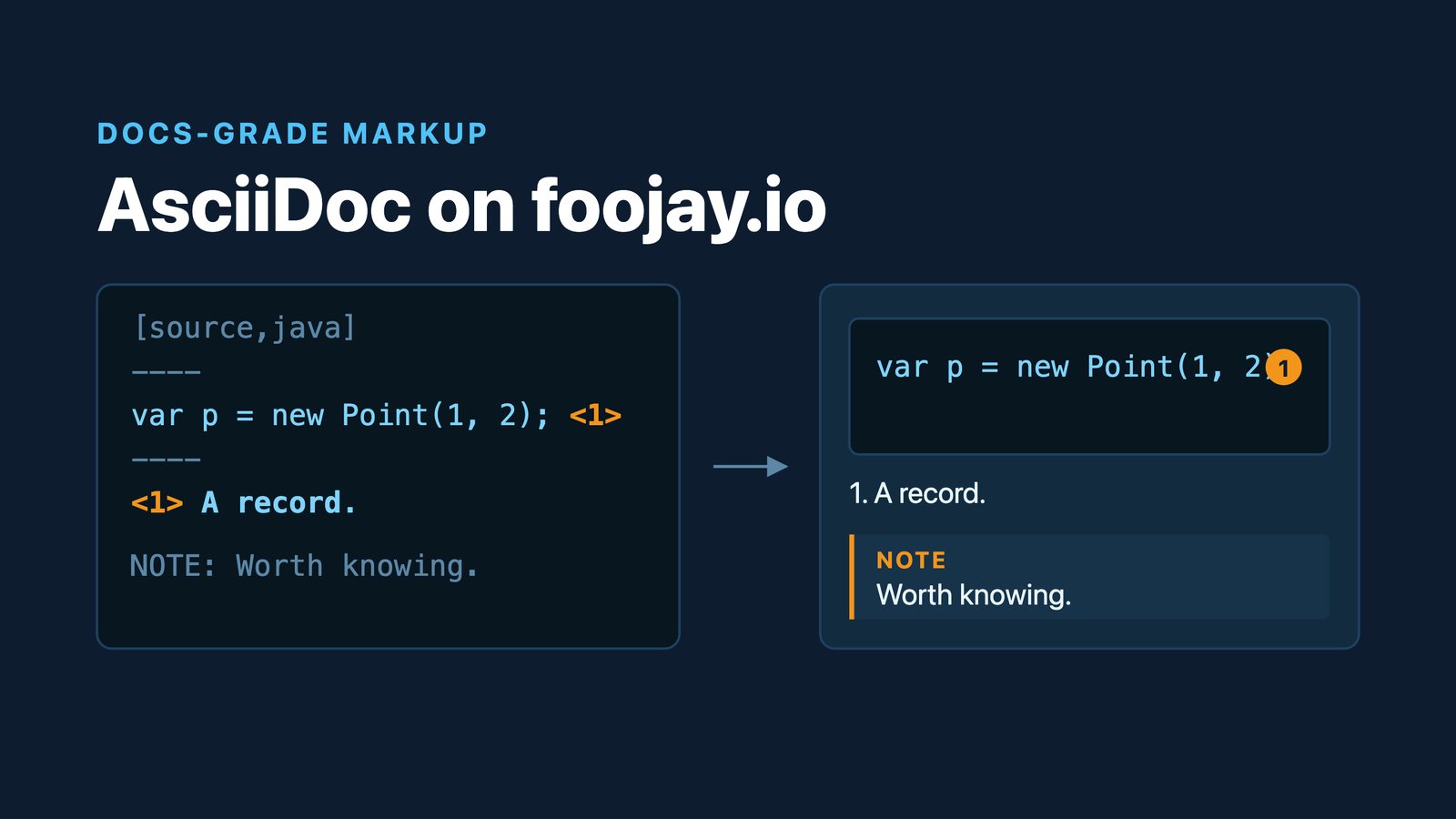
This is the one that has no Markdown equivalent at all. Put numbered markers in the code and explain them beneath it:
[source,java]
----
try (var scope = new StructuredTaskScope.ShutdownOnFailure()) {  // <1>
    var user  = scope.fork(() -> findUser(id));                  // <2>
    scope.join().throwIfFailed();                                // <3>
    return user.get();
}
----
<1> The scope owns every task forked inside it.
<2> `fork` returns immediately; nothing has run yet.
<3> `join` waits for all of them, and rethrows the first failure.
The marker goes inside a comment for the language of the snippet — // for Java, # in a shell or Python snippet, -- in SQL. This keeps the file compiling if you paste the snippet back into an IDE to check it. The comment itself does not reach the reader: it becomes a circled number, and the markers line up with the explanation underneath, where neither can drift out of step with the other when you edit the snippet later. The result looks like this:
try (var scope = new StructuredTaskScope.ShutdownOnFailure()) {  ①
    var user  = scope.fork(() -> findUser(id));                  ②
    scope.join().throwIfFailed();                                ③
    return user.get();
}
The scope owns every task forked inside it.
forkreturns immediately; nothing has run yet.joinwaits for all of them, and rethrows the first failure.
Admonitions
Admonitions are the labelled boxes that set a remark apart from the paragraph around it. It’s a specific term used by AsciiDoc. There are five kinds, each written as one word followed by a colon:
NOTE: Virtual threads are not faster threads. They are cheaper threads.

TIP: `jcmd <pid> Thread.dump_to_file` gives you every virtual thread.

WARNING: A `synchronized` block still pins the carrier thread before JDK 24.

CAUTION: Don't over-use these kind of blocks...

IMPORTANT: This message gets really highlighted!
Result:
Note | Virtual threads are not faster threads. They are cheaper threads. |
Tip | jcmd <pid> Thread.dump_to_file gives you every virtual thread. |
Warning | A synchronized block still pins the carrier thread before JDK 24. |
Caution | Don’t over-use these kind of blocks… |
Important | This message gets really highlighted! |
The text has to start on the same line as the label. It may then wrap over as many lines as it likes, but a label sitting alone on its line is not an admonition at all, it is a paragraph that happens to begin with the word "TIP:".
For anything with a blank line in it, you need to use the other form: the label in square brackets on its own line, above a ==== block.
[TIP]
====
Virtual threads are cheap to create but not free to block on. A thread parked
on a `synchronized` monitor before JDK 24 pins its carrier thread, so a pool of
platform threads underneath can still be exhausted by code that looks
non-blocking.

Reach for `ReentrantLock` where you would have written `synchronized`, and
measure with `jcmd <pid> Thread.dump_to_file -format=json` before assuming
which one you have.
====
Result:
Tip | Virtual threads are cheap to create but not free to block on. A thread parked
on a Reach for |
Tables that do more than a grid
Markdown tables are a grid of cells and nothing else. AsciiDoc tables set column widths, span cells, and alignment per column:
.Garbage collectors at a glance
[cols="<1,^1,>1,2", options="header"]
|===
| Collector | Generational | Typical pause | Best suited to

| Serial | yes | 100ms+ | small heaps, single core
| G1     | yes | ~200ms | the general case
| ZGC    | yes | 1ms | large heaps, latency-sensitive services
|===
Result:
| Collector | Generational | Typical pause | Best suited to |
|---|---|---|---|
Serial | yes | 100ms+ | small heaps, single core |
G1 | yes | ~200ms | the general case |
ZGC | yes | 1ms | large heaps, latency-sensitive services |
The cols attribute is doing all of it. The numbers are relative widths, so the last column is twice the width of the others because it holds twice the text. The symbol in front of each one sets the alignment: < left, ^ centre, > right, which is how the numbers line up under each other while the prose stays left.
Cells span, too, which is the part Markdown has no answer for at all. A prefix before the | says how far a cell reaches: 3+| spans three columns, .2+| spans two rows, and 2.2+| does both.
.JDK support windows
[cols="1,1,2,1", options="header"]
|===
| Release | Type | Vendor support | Ends

| Java 21 | LTS  .2+| Every major vendor | 2031
| Java 25 | LTS | 2035
3+| Java 26 and 27 — non-LTS, six months each | 2027
|===
Result:
| Release | Type | Vendor support | Ends |
|---|---|---|---|
Java 21 | LTS | Every major vendor | 2031 |
Java 25 | LTS | 2035 | |
Java 26 and 27 — non-LTS, six months each | 2027 | ||
"Every major vendor" is one cell spanning two rows, and the last row is one cell spanning three columns. Both cost a couple of characters.
Everything else stays the same
Everything the site does around an article works the same way. The "On this page" navigation is built from your == headings. Images go in the article folder and are checked for weight and for alternative text. The frontmatter rules are the same rules, enforced by the same check on your pull request.
Code is highlighted by the same highlighter, with the same language names, so [source,kotlin] here and a ` `kotlin ```
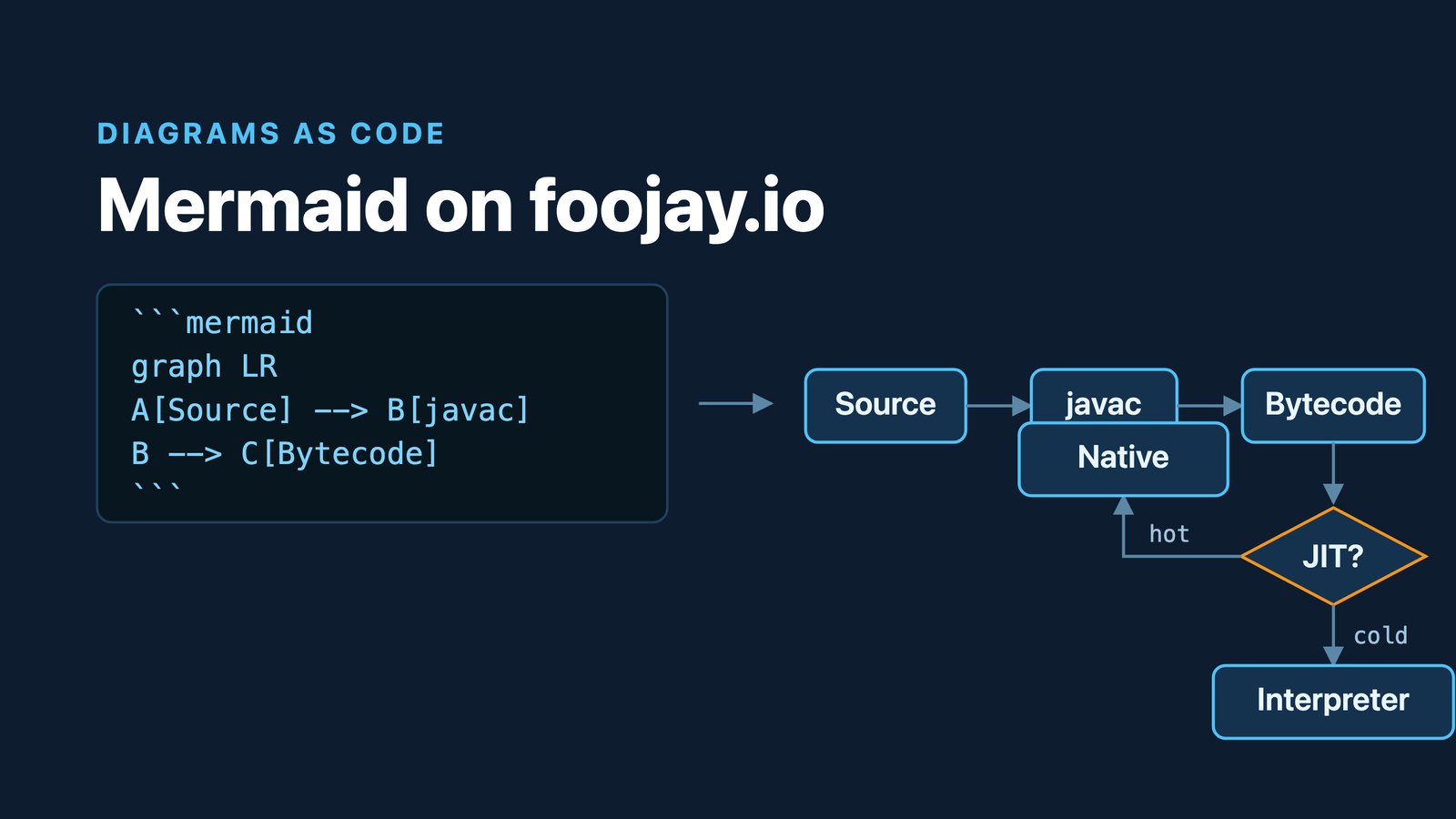
And Mermaid diagrams work, as a source block like any other:
[source,mermaid]
----
graph LR
    A[Source] --> B[javac]
    B --> C[Bytecode]
----
Result:
graph LR
    A[Source] --> B[javac]
    B --> C[Bytecode]
Which should you use?
Markdown, unless you have a reason. It is shorter for ordinary prose and a bit easier to review.
Reach for AsciiDoc when the article is carrying real technical weight: a walkthrough where the code needs annotating line by line, a comparison that wants a proper table, a piece with enough warnings in it that they should look like warnings. That is what the format is for, and it is now one file extension away.
Found a mistake, or something to add? Edit this page on GitHub

Frank Delporte
Frank Delporte is a Java Champion, Java Developer, Senior Technical Writer at Azul, Blogger, Author of "Java Programming for Raspberry Pi - A Hands-On Guide to Electronics and IoT Projects", and Open-Source Contributor for Pi4J, Lottie4J, Sheetmusic4J and …