Azul Zulu July 2026 Quarterly Update Released

Every three months your production JDKs fall further behind on security patches. Azul closes that gap today with the July 2026 quarterly update for Azul Zulu Builds of OpenJDK, covering Java 26, 25, 21, 17, 11, 8, 7, and 6.
The Quarterly Update Cycle
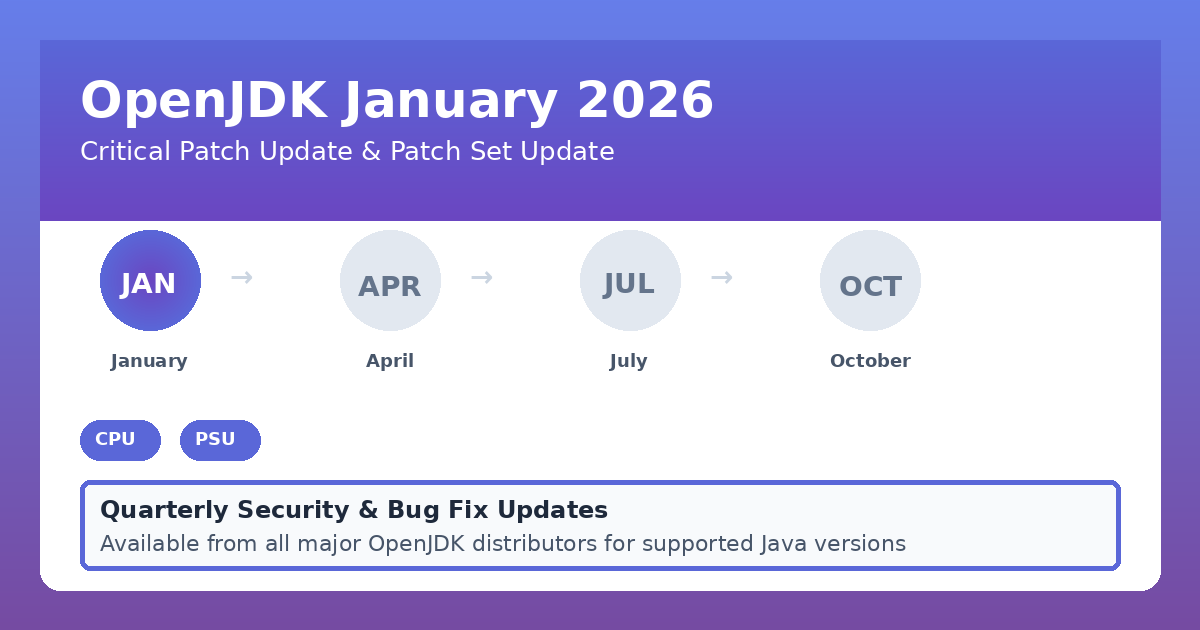
Every three months, in January, April, July, and October, the OpenJDK project ships security patches, bug fixes, and improvements for all supported Java versions. This predictable schedule lets teams plan Java updates and keep production environments secure.
Azul packages each quarterly release in two flavors: Critical Patch Updates (CPU) with security-only patches, and Patch Set Updates (PSU) with a broader set of fixes.
Critical Patch Updates (CPU)
CPU releases contain only security fixes and critical bug fixes. Azul builds each CPU on top of the prior quarter’s PSU and applies just the security patches. Teams use CPU releases to deploy urgent security fixes with minimal risk of new regressions.
Patch Set Updates (PSU)
PSU releases include every fix from the matching CPU, plus additional non-security bug fixes. Azul aligns each PSU with the corresponding OpenJDK project quarterly release.
Getting the Most Out of CPU and PSU Releases
Install the CPU release quickly, after a short test, to close security gaps fast. Test the PSU release over a longer period afterward. Move your environment to the PSU version once your tests pass, and do this before the next quarterly update arrives. Repeat the cycle every quarter.
Version Bumps in This Release
This July 2026 update moves the OpenJDK versions forward:
| Release | CPU April | CPU July | PSU April | PSU July |
|---|---|---|---|---|
| 26 | - | - | 26.0.1 | 26.0.2 |
| 25 | 25.0.2 | 25.0.3 | 25.0.3 | 25.0.4 |
| 21 | 21.0.10 | 21.0.11 | 21.0.11 | 21.0.12 |
| 17 | 17.0.18 | 17.0.19 | 17.0.19 | 17.0.20 |
| 11 | 11.0.30 | 11.0.31 | 11.0.31 | 11.0.32 |
| 8 | 8u491 | 8u501 | 8u492 | 8u502 |
Run java -version to check how far behind your JDK sits.
Security and Bug Fixes in This Release
This security update release delivered patches for 4 high-severity CVEs for a total of 18 CVEs.
Beyond the CVE list, this quarter brings a large batch of non-security fixes and improvements across OpenJDK, OpenJFX, and Zulu-specific code:
- Java 26: 193
- Java 25: 286
- Java 21: 318
- Java 17: 256
- Java 11: 76
- Java 8: 53
The fix count for Azul Zulu includes OpenJDK fixes, Azul-specific fixes, and JavaFX fixes. The totals differ from the plain OpenJDK numbers you see elsewhere.
Azul Zulu July 2026 Release Notes
Azul releases Azul Zulu Builds of OpenJDK in versions 26, 25, 21, 17, 11, 8, 7, and 6 this quarter. Check the full Azul release notes for every detail. A few changes stand out.
Lucida Monotype Fonts Leave Zulu 8
Azul removes the Lucida fonts licensed from Monotype from Azul Zulu Builds of OpenJDK 8 in this release. Later Zulu versions already ship without these fonts.
If your application depends on the bundled Lucida fonts, install the Azul Commercial Compatibility Kit or contact Azul Support at [email protected].
Intelligence Cloud: CRS Agent Retires
Azul retires the Connected Runtime Service (CRS) embedded agent from Azul Zulu Builds of OpenJDK. The standalone Azul Intelligence Cloud Agent covers the same use cases more efficiently.
This change applies to all Azul Zulu PSU configurations starting now. The October 2026 release brings the same change to CPU configurations.
Post-Quantum Hybrid Key Exchange Comes to Java 25
Azul backports JEP 527: Post-Quantum Hybrid Key Exchange for TLS 1.3 to Java 25 in this release, ahead of its planned inclusion in Java 27. Teams running Java 25 in production get post-quantum-ready TLS 1.3 key exchange without waiting for the next LTS.
Certificate Parsing Gets a Size Limit
This release adds the com.sun.security.crl.maxSize security and system property. The property caps the size of a Certificate Revocation List (CRL) that the JVM downloads over the network, at 20MiB by default.
Azul discards any CRL larger than this limit. Enable certpath debug logging to see the current size limit and any discarded CRLs. Set the property to a negative value to turn off the limit, or set it directly as a system property to override the security property default.
Zulu Drops CoreOS, Adds Ubuntu 26.04 and SLES 15
Zulu adds support for Ubuntu 26.04 and SLES 15 in this release. Azul drops CoreOS support at the same time. Check the Supported Platforms page for the full matrix.
CRaC Gets Automatic Checkpoints, Drops Legacy Options
Coordinated Restore at Checkpoint (CRaC) lets Java programs start with a shorter time to first transaction and less warmup. This release adds an early-access automatic checkpoint mode: the JVM inspects its own state periodically and triggers a checkpoint once the application goes warm and idle.
Auto-checkpoint ships only in Subscriber Availability (SA) builds for now. Its policy may still change before general availability, since Azul treats this as early access.
Azul also removes the deprecated CRaCKeepRunning and CRaCConcurrentMemoryLoading VM options in this release. Use CRaCEngineOptions instead, as documented in the CRaC command-line options reference.
IANA Time Zone Data
This release ships IANA Time Zone Database version 2026b.
Next Steps
Plan your testing and rollout so your Java applications pick up the July 2026 security patches and bug fixes without a rushed deployment. Mark the next dates on your calendar:
- 2026-10-20: CPU/PSU Update
- 2027-01-19: CPU/PSU Update
- 2027-03-23: OpenJDK 28 release
- 2027-04-20: CPU/PSU Update
- 2027-07-20: CPU/PSU Update
- 2027-09-21: OpenJDK 29 (LTS) release
Please keep in mind: A JDK you don’t update is a JDK carrying last quarter’s known vulnerabilities into production.
Found a mistake, or something to add? Edit this page on GitHub

Frank Delporte
Frank Delporte is a Java Champion, Java Developer, Senior Technical Writer at Azul, Blogger, Author of "Java Programming for Raspberry Pi - A Hands-On Guide to Electronics and IoT Projects", and Open-Source Contributor for Pi4J, Lottie4J, Sheetmusic4J and …