Driving FFmpeg from Java Without Deadlocks or Broken Files

At Mark Studios, a lot of the automation around editing is FFmpeg commands wrapped in small scripts: measure the loudness, re-encode, check the result. ProcessBuilder can run the same commands from Java, and with records and virtual threads the wrapper code stays short. It also has a few ways to hang, waste threads or leave behind a file that won’t open, and a ten-second test clip shows you none of them.
Everything below was compiled and run on OpenJDK 21.0.13 and 27.0.1 with FFmpeg 9.0.2, on macOS with an 18-core Apple M5 Max, and the output shown is copied from those runs. The test media comes from FFmpeg’s own generators, so there is nothing to download:
ffmpeg -f lavfi -i testsrc2=size=1280x720:rate=30 \
       -f lavfi -i sine=frequency=440:sample_rate=48000 \
       -t 600 -c:v libx264 -preset veryfast -pix_fmt yuv420p -c:a aac -b:a 192k \
       -shortest media/long.mp4
media/short.mp4 is the same command with -t 10, and media/minute.mp4 is 60 seconds at 1920x1080. Each example is a single source file that runs with java Name.java. The two that parse JSON need Jackson, and they run with JBang, which reads the dependency from a comment at the top of the file. All of them, plus a script that generates every test file, are linked at the end.
Wait first, read later: the deadlock
The ebur128 filter measures loudness and logs a line for every 100 ms of audio. Run from Java, the obvious code waits for FFmpeg to exit and then reads what it printed:
import java.io.OutputStream;
import java.util.concurrent.TimeUnit;

public class Deadlock {
    public static void main(String[] args) throws Exception {
        long start = System.nanoTime();
        Process p = new ProcessBuilder(
                "ffmpeg", "-hide_banner", "-nostdin", "-i", args[0],
                "-af", "ebur128", "-f", "null", "-")
            .start();

        // The mistake: wait for the exit first, read the log afterwards.
        if (p.waitFor(30, TimeUnit.SECONDS)) {
            String log = new String(p.getErrorStream().readAllBytes());
            System.out.printf("exit %d after %.1f s, %d bytes of log%n",
                    p.exitValue(), seconds(start), log.length());
            return;
        }
        System.out.printf("still running after %.1f s, %d bytes sitting in the stderr pipe%n",
                seconds(start), p.getErrorStream().available());

        // Proof that it was blocked rather than slow: read the pipe and it finishes.
        long drained = p.getErrorStream().transferTo(OutputStream.nullOutputStream());
        System.out.printf("drained %d bytes, exit %d after %.1f s%n",
                drained, p.waitFor(), seconds(start));
    }

    static double seconds(long start) {
        return (System.nanoTime() - start) / 1e9;
    }
}
The 30-second timeout and everything after it are there only to show what happens. On the short clip the code works. On the long one it stops making progress:
$ java Deadlock.java media/short.mp4
exit 0 after 0.1 s, 14174 bytes of log
$ java Deadlock.java media/long.mp4
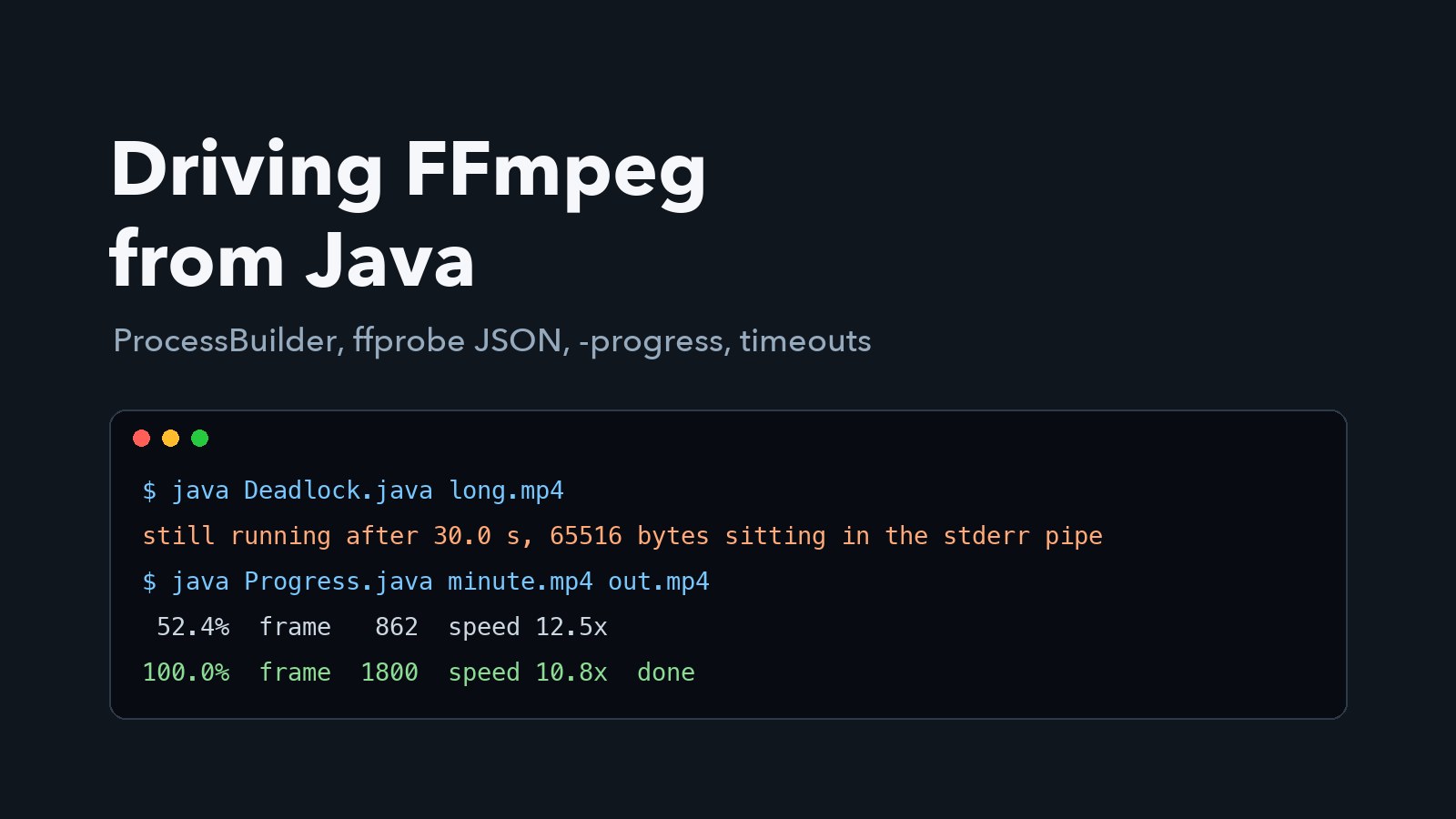
still running after 30.0 s, 65517 bytes sitting in the stderr pipe
drained 740376 bytes, exit 0 after 32.1 s
FFmpeg’s stderr is a pipe into the JVM, and a pipe has a fixed buffer: 64 KiB here, and also by default on Linux (see pipe(7)). Ten seconds of audio produce 14 KB of log, which fits. Ten minutes produce 740 KB. Once the buffer is full, FFmpeg’s next write blocks, so FFmpeg can’t exit, and waitFor is waiting for exactly that exit. Nothing moves until somebody reads the pipe. When the program finally does, FFmpeg finishes within a couple of seconds; in a terminal the whole command takes about four. JDK 27 stalls the same way.
You don’t need a chatty filter to get here. FFmpeg’s ordinary progress line goes to stderr as well, about 120 bytes twice a second in my runs. With nothing reading stderr, that alone fills 64 KiB after four or five minutes of encoding, which is how code like this passes every test and then hangs on the first long file.
Three ways out
If you don’t need the log, don’t pipe it. ProcessBuilder.redirectError accepts Redirect.DISCARD, Redirect.INHERIT (the JVM’s own stderr) or Redirect.to(file). Then the operating system does the writing, and nothing in your process can block it. That is the right default for FFmpeg’s log, and most of the examples below use it.
redirectErrorStream(true) merges stderr into stdout, leaving one stream to read. That works until stdout carries data you want to parse, such as ffprobe’s JSON or the progress feed later on.
When you need both streams, read them at the same time. A virtual thread makes that cheap to write:
record Result(int exit, String stdout, String stderr) {}

static Result run(List<String> command) throws Exception {
    Process p = new ProcessBuilder(command).start();
    try (var pool = Executors.newVirtualThreadPerTaskExecutor()) {
        Future<String> err = pool.submit(() -> new String(p.getErrorStream().readAllBytes()));
        String out = new String(p.getInputStream().readAllBytes());
        return new Result(p.waitFor(), out, err.get());
    }
}
The calling thread reads stdout, a virtual thread reads stderr, and waitFor comes last. On the same ten-minute file, printing the start of the summary FFmpeg writes at the end:
$ java Drained.java media/long.mp4
exit 0 after 2.6 s, 740381 bytes of log
Summary:

  Integrated loudness:
    I:         -21.8 LUFS
    Threshold: -31.8 LUFS
ffprobe JSON into records
ffprobe -print_format json -show_format -show_streams describes a file as nested JSON. The JDK still has no JSON parser (java --list-modules on JDK 27 lists no JSON module), so this is where I take a dependency. Jackson 3 maps ffprobe’s output onto records without any annotations, given a snake_case naming strategy:
///usr/bin/env jbang "$0" "$@" ; exit $?
//JAVA 21+
//DEPS tools.jackson.core:jackson-databind:3.2.3

import java.util.List;
import tools.jackson.databind.DeserializationFeature;
import tools.jackson.databind.PropertyNamingStrategies;
import tools.jackson.databind.json.JsonMapper;

public class Probe {
    record MediaInfo(List<Stream> streams, Format format) {}

    record Format(String formatName, double duration, long bitRate) {}

    record Stream(int index, String codecType, String codecName,
                  Integer width, Integer height, String avgFrameRate,
                  Integer sampleRate, Integer channels) {
        double fps() {
            String[] f = avgFrameRate.split("/");
            return Double.parseDouble(f[0]) / Double.parseDouble(f[1]);
        }
    }

    static final JsonMapper JSON = JsonMapper.builder()
            .propertyNamingStrategy(PropertyNamingStrategies.SNAKE_CASE)
            .disable(DeserializationFeature.FAIL_ON_UNKNOWN_PROPERTIES)
            .build();

    static MediaInfo probe(String file) throws Exception {
        Process p = new ProcessBuilder("ffprobe", "-v", "error", "-print_format", "json",
                "-show_format", "-show_streams", file)
            .redirectError(ProcessBuilder.Redirect.INHERIT)
            .start();
        MediaInfo info = JSON.readValue(p.getInputStream(), MediaInfo.class);
        if (p.waitFor() != 0) throw new IllegalStateException("ffprobe failed: " + file);
        return info;
    }
The main method prints what it found. media/ntsc.mov is five seconds of 1080p at 30000/1001 fps with stereo 44.1 kHz audio:
$ jbang Probe.java media/short.mp4 media/ntsc.mov
media/short.mp4: mov,mp4,m4a,3gp,3g2,mj2, 10.000 s, 2941 kb/s
  #0 video h264 1280x720 30.000 fps
  #1 audio aac 48000 Hz, 1 ch
media/ntsc.mov: mov,mp4,m4a,3gp,3g2,mj2, 5.000 s, 5812 kb/s
  #0 video h264 1920x1080 29.970 fps
  #1 audio aac 44100 Hz, 2 ch
Three things in that JSON are worth knowing before you write the records:
- Many numbers arrive as strings:
"duration": "10.000000","sample_rate": "48000","bit_rate": "2779526". Jackson coerces them into thedouble,Integerandlongthe records declare. - Some fields exist only on some streams. Declared as
int width, an audio stream comes back with width 0 and no error, so the stream-specific fields areIntegerand read asnullwhen they’re missing. - Frame rates are fractions.
avg_frame_rateis"30000/1001"for NTSC material and"0/0"for audio, so parse it instead of rounding it into anint.
For a single value, skip JSON altogether: ffprobe -v error -show_entries format=duration -of csv=p=0 media/minute.mp4 prints 60.000000, and the next example gets its duration that way.
Live progress from -progress pipe:1
-progress pipe:1 makes FFmpeg write machine-readable progress to stdout: blocks of key=value lines, each ending in progress=continue, or progress=end for the last one. Add -nostats and -loglevel error, and stderr carries nothing but errors, so it can go straight to the JVM’s stderr:
record Snapshot(long frame, double seconds, String speed, boolean done) {
    // out_time_us is "N/A" before the first packet and again while the encoder
    // flushes at the end, so N/A keeps the last real value. Audio-only
    // output has no frame key at all, so it reads as 0.
    static Snapshot of(Map<String, String> kv, double lastSeconds) {
        String us = kv.get("out_time_us");
        return new Snapshot(Long.parseLong(kv.getOrDefault("frame", "0")),
                us.equals("N/A") ? lastSeconds : Long.parseLong(us) / 1e6,
                kv.get("speed"), kv.get("progress").equals("end"));
    }
}

static int encode(String in, String out, Consumer<Snapshot> listener) throws Exception {
    Process p = new ProcessBuilder("ffmpeg", "-hide_banner", "-nostdin", "-y",
            "-loglevel", "error", "-i", in,
            "-c:v", "libx264", "-preset", "medium", "-c:a", "aac",
            "-progress", "pipe:1", "-nostats", out)
        .redirectError(ProcessBuilder.Redirect.INHERIT)
        .start();
    Map<String, String> block = new HashMap<>();
    double seconds = 0;
    try (BufferedReader stdout = p.inputReader()) {
        for (String line; (line = stdout.readLine()) != null; ) {
            int eq = line.indexOf('=');
            block.put(line.substring(0, eq), line.substring(eq + 1).trim());
            if (line.startsWith("progress=")) {
                Snapshot snapshot = Snapshot.of(block, seconds);
                seconds = snapshot.seconds();
                listener.accept(snapshot);
                block.clear();
            }
        }
    }
    return p.waitFor();
}
With the duration from ffprobe, main turns each snapshot into a percentage:
double total = duration(args[0]);
int exit = encode(args[0], args[1], s -> System.out.printf(
        "%5.1f%%  frame %5d  speed %s%s%n", 100 * s.seconds() / total,
        s.frame(), s.speed(), s.done() ? "  done" : ""));
$ java Progress.java media/minute.mp4 out/minute-x264.mp4 10.0% frame 88 speed 11.9x 17.1% frame 226 speed 10.2x 24.7% frame 353 speed 9.77x ... 98.0% frame 1679 speed 8.33x 100.0% frame 1800 speed 8.1x done exit 0
Reading the raw feed turned up five details:
out_time_msis not in milliseconds. It holds the same microsecond value asout_time_us:out_time_us=4501333andout_time_ms=4501333in the same block. Useout_time_us.- The times can be
N/A. Before the first packet is written, with a slow preset and a short-stats_period, the first blocks readframe=0andout_time_us=N/A. They goN/Aagain near the end: in one run the blocks at frames 1733, 1768 and 1787 of 1800 had no time at all. My first version mappedN/Ato zero, and the progress line dropped to 0.0% just before finishing. Keeping the last real value fixes that. - With audio in the output,
out_timeruns ahead of the video. Copying the audio stream, the first block saidframe=34next toout_time_us=4501333: 1.1 seconds of video against 4.5 seconds of output time. The run above shows it too, at 10% after 88 frames. libx264 is still holding frames in its lookahead while audio packets are already being written. That’s fine for a percentage, but don’t use it to count finished frames. - A block arrives every half second by default.
-stats_periodchanges that. - Audio-only output has no
frameorfpsline at all. An.m4aencode’s blocks start atbitrate=, which is whySnapshot.offalls back to 0 instead of callingLong.parseLong(null).
Stopping an encode
To compare the ways of stopping FFmpeg, I started the one-minute encode, stopped it after three seconds, and asked ffprobe how many video frames it could read back from what was left on disk. The core of the test:
static void stop(Process p, Stop how) throws Exception {
    switch (how) {
        case QUIT_KEY -> {                     // what pressing q in a terminal does
            p.getOutputStream().write('q');
            p.getOutputStream().flush();
        }
        case DESTROY -> p.destroy();           // SIGTERM on macOS and Linux
        case DESTROY_FORCIBLY -> p.destroyForcibly();   // SIGKILL
    }
}
On JDK 21:
| Stopped with | Exit code | MP4 left behind | MKV left behind |
|---|---|---|---|
q written to stdin | 0 | 749 frames | 426 frames |
destroy() | 255 | 776 frames | 330 frames |
destroyForcibly() | 137 | unreadable: “moov atom not found” | 243 frames |
JDK 27 gave the same exit codes and the same unreadable MP4. Only the frame counts differ, because they depend on how far each encode got in three seconds.
In the JDK’s Unix implementation, which macOS and Linux share, destroy() sends SIGTERM and destroyForcibly() sends SIGKILL, and supportsNormalTermination() returned true on both JDKs. FFmpeg treats SIGTERM as a request to stop: it logs Exiting normally, received signal 15., writes the MP4 index and exits with 255. SIGKILL can’t be handled, so the moov atom never gets written and none of the video already on disk can be opened. The exit code 137 is 128 + 9, the way the JDK reports a process that died from signal 9.
Matroska survives the hard kill because it doesn’t depend on an index written at the end. ffprobe warns File ended prematurely and still reads the frames, and ffmpeg -i killed.mkv -c copy fixed.mp4 turned that file into a normal MP4 with all 243 frames. If your encodes can be killed without warning, by a container stop timeout or the OOM killer, write MKV and remux once the job has succeeded.
Writing q to stdin is what pressing q in a terminal does. It doesn’t involve signals at all, which makes it the option to reach for if supportsNormalTermination() returns false on your platform. It’s also the one reason to leave out the -nostdin flag the other examples pass.
For timeouts I use both signals: ask first, then insist.
static int waitOrStop(Process p, Duration limit) throws InterruptedException {
    if (p.waitFor(limit.toMillis(), TimeUnit.MILLISECONDS)) return p.exitValue();
    p.destroy();                                   // SIGTERM: ffmpeg still finalizes the file
    if (!p.waitFor(10, TimeUnit.SECONDS)) p.destroyForcibly();
    return p.waitFor();
}
If you’re on JDK 24 or later, waitFor(Duration) saves the conversion.
JDK 26 added something that is easy to misread: Process is now Closeable. Its close() is not a cancel. It closes the three pipes and then waits for the process to exit. I wrapped a running encode in try-with-resources on JDK 27, and leaving the block took 10.1 seconds: FFmpeg kept going without its pipes and wrote the whole 60-second file, exit 0.
Several encodes at once
Virtual threads make one blocking task per file easy to write, and a Semaphore decides how many FFmpeg processes actually run:
static double runAll(List<String> inputs, int limit) throws Exception {
    if (limit < 1) throw new IllegalArgumentException("limit must be at least 1, got " + limit);
    var slots = new Semaphore(limit);
    long start = System.nanoTime();
    try (var pool = Executors.newVirtualThreadPerTaskExecutor()) {
        List<Future<Integer>> jobs = new ArrayList<>();
        for (int i = 0; i < inputs.size(); i++) {
            String in = inputs.get(i), out = "out/batch-" + i + ".mp4";
            jobs.add(pool.submit(() -> {
                slots.acquire();
                try {
                    return encode(in, out);
                } finally {
                    slots.release();
                }
            }));
        }
        for (var job : jobs) {
            if (job.get() != 0) throw new IllegalStateException("an encode failed");
        }
    }
    return (System.nanoTime() - start) / 1e9;
}
encode() here is a plain libx264 encode with its log redirected to a file and waitOrStop around it. java Batch.java 1,2,4,8 media/clip{1..8}.mp4 runs the same eight 20-second 1080p clips with each limit in turn. The machine was running other jobs that I couldn’t stop, so the numbers moved between runs. Three of them:
| At a time | JDK 21 | JDK 27 | JDK 27, machine busier |
|---|---|---|---|
| 1 | 19.2 s | 15.9 s | 28.0 s |
| 2 | 14.8 s | 15.2 s | 21.7 s |
| 4 | 13.9 s | 15.1 s | 16.3 s |
| 8 | 13.9 s | 14.8 s | 15.9 s |
The eight clips never took much less than 14 seconds, however many ran at once. On the quieter runs, two at a time was already within a second of that. On the busiest one, four and eight beat two, which I read as more processes grabbing a bigger share of a contended CPU rather than the encodes getting faster.
The encoder explains it. A single libx264 process already spreads across most of the machine: under /usr/bin/time, one of these encodes used 21 seconds of CPU time in 2.7 seconds and peaked at about 1 GB of resident memory. Eight at once means about 8 GB of memory for no extra speed. Size the semaphore for the encoder, not for how many threads you could start.
The Java side isn’t free either. Every running Process has a platform thread of its own, named “process reaper”, and a virtual thread blocked reading a process pipe keeps its carrier thread while the scheduler adds carriers to compensate. Carriers.java starts 100 processes running sleep 3, one virtual thread each, and counts threads while they run. The threads only call waitFor in the first run and read stdout in the second:
21 100 jobs (wait): 18 carrier threads, 100 process reaper threads, 124 platform threads total
21 100 jobs (read): 101 carrier threads, 100 process reaper threads, 207 platform threads total
JDK 27 printed the same counts. At the scale of FFmpeg jobs, a couple of hundred platform threads is nothing to worry about. It just means virtual threads make this code simpler to write, not cheaper to run.
Two-pass loudness normalization
We deliver YouTube masters at -14 LUFS, and FFmpeg’s loudnorm filter gets there in two passes: measure, then apply the measured values with linear=true, so the whole file gets one gain change instead of dynamic compression. This uses the run() helper from earlier and the same JsonMapper setup as Probe:
// loudnorm prints every number as a JSON string; keeping them as strings means
// they go back into the second pass exactly as ffmpeg wrote them.
record Stats(String inputI, String inputTp, String inputLra, String inputThresh,
             String outputI, String outputTp, String normalizationType, String targetOffset) {}

static final String TARGET = "I=-14:TP=-1:LRA=11";

// One ffmpeg run with a loudnorm filter; the stats are the last {...} in its log.
static Stats loudnorm(String in, String options, List<String> output) throws Exception {
    var cmd = new ArrayList<>(List.of("ffmpeg", "-hide_banner", "-nostdin", "-y", "-i", in,
            "-af", "loudnorm=" + options + ":print_format=json"));
    cmd.addAll(output);
    Result r = run(cmd);
    if (r.exit() != 0) throw new IllegalStateException(r.stderr());
    String log = r.stderr();
    return JSON.readValue(log.substring(log.lastIndexOf('{'), log.lastIndexOf('}') + 1),
            Stats.class);
}

public static void main(String[] args) throws Exception {
    String in = args[0], out = args[1];
    Stats first = loudnorm(in, TARGET, List.of("-vn", "-f", "null", "-"));
    System.out.printf("pass 1: %s LUFS, true peak %s dBTP, LRA %s LU%n",
            first.inputI(), first.inputTp(), first.inputLra());

    String measured = "%s:measured_I=%s:measured_TP=%s:measured_LRA=%s:measured_thresh=%s"
            .formatted(TARGET, first.inputI(), first.inputTp(), first.inputLra(),
                    first.inputThresh())
            + ":offset=" + first.targetOffset() + ":linear=true";
    Stats second = loudnorm(in, measured,
            List.of("-c:v", "copy", "-c:a", "aac", "-b:a", "192k", "-ar", "48000", out));
    System.out.printf("pass 2: %s, output %s LUFS, true peak %s dBTP%n",
            second.normalizationType(), second.outputI(), second.outputTp());
}
The two test files are a 220 Hz tone with a slow tremolo and pink noise with the same tremolo, both generated with lavfi like the clips above:
$ jbang Loudnorm.java media/tone.mp4 out/tone-14.mp4
pass 1: -30.74 LUFS, true peak -23.63 dBTP, LRA 0.90 LU
pass 2: linear, output -13.97 LUFS, true peak -6.89 dBTP
$ jbang Loudnorm.java media/noise.mp4 out/noise-14.mp4
pass 1: -38.36 LUFS, true peak -21.41 dBTP, LRA 1.30 LU
pass 2: dynamic, output -14.65 LUFS, true peak -1.00 dBTP
What to check:
normalization_typefrom the second pass. The noise needed 24.4 dB of gain, but its true peak sits 17 dB above its loudness, so one fixed gain would have put the peaks near +3 dBTP. loudnorm switched to dynamic mode without an error. If linear matters to you, check this field rather than trusting the option you passed.-ar 48000. loudnorm works at 192 kHz, and without-arthe output file stays at 192000 Hz.- The encoder runs after the filter. Measured again with
ebur128=peak=true, the tone came out at -14.0 LUFS with a true peak of -6.9 dBFS. The noise came out at -14.8 LUFS with a true peak of -0.4 dBFS: the AAC encode pushed the peaks back above the -1 dBTP that loudnorm reported. If a delivery spec’s ceiling is strict, leave headroom for the encoder.
Summary
- Never leave a piped stream unread. Redirect what you don’t parse, and read the rest on separate threads.
- Put a timeout on every
waitFor, and stop withdestroy()orqbefore reaching fordestroyForcibly(). - Use
-progress pipe:1andout_time_usfor progress, and expectN/Aat the start and near the end. - Write MKV when a hard kill is possible, and remux at the end.
- Size the concurrency for the encoder, not for the number of threads Java could start.
The complete examples are on GitHub at markksantos/driving-ffmpeg-from-java: Deadlock.java, Drained.java, Probe.java, Progress.java, Cancel.java, CloseTest.java, Batch.java, Carriers.java and Loudnorm.java, with make-media.sh to generate the test files. They expect ffmpeg and ffprobe on the PATH, and CloseTest.java needs JDK 26 or later.
Found a mistake, or something to add? Edit this page on GitHub

Mark Santos
Mark Santos is a video editor. His studio, Mark Studios, edits YouTube videos, Shorts and talking-head content.