
An Introduction to JSR 381, the Java Visual Recognition API

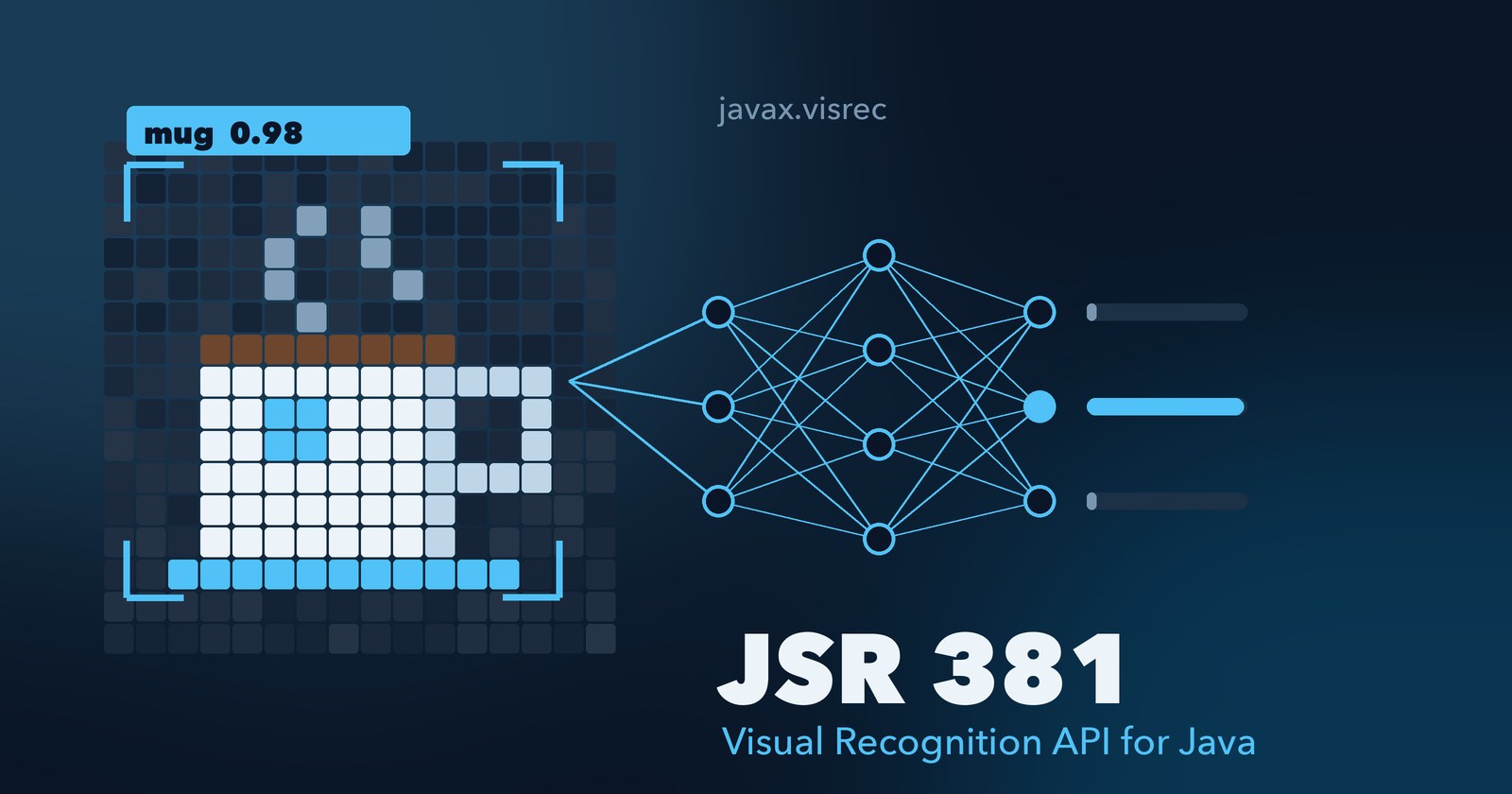
JSR 381, the Visual Recognition API (VisRec), is the Java Community Process standard for image classification and related machine-learning tasks in Java. It reached Final status in February 2022, with Zoran Sevarac and Frank Greco as specification leads. Your code calls the javax.visrec interfaces, such as ImageClassifier, and never names a specific library. The library that does the recognition is an implementation of those interfaces. It ships as a separate JAR, such as the Deep Netts-based reference implementation, and the API finds it on the classpath at runtime. Your code stays the same when you swap in a different implementation.
This article covers three things: what the API standardizes, how to use the official reference implementation built on Deep Netts, and how small the contract really is, shown by writing a new JSR 381 implementation backed by DuckDB.
What JSR 381 standardizes
The API lives in the javax.visrec packages and is published as javax.visrec:visrec-api.
| Package | What it contains |
|---|---|
javax.visrec.ml.classification | Classifier, ImageClassifier, BinaryClassifier, and builders such as NeuralNetImageClassifier |
javax.visrec.ml.detection | ObjectDetector and BoundingBox for finding objects in an image |
javax.visrec.ml.data | DataSet and preprocessing abstractions |
javax.visrec.ml.regression, javax.visrec.ml.eval | Regression models and evaluation metrics |
javax.visrec.spi | ServiceProvider and factories that let an implementation register itself |
At the center is a one-method interface. Everything else specializes it:
@FunctionalInterface
public interface Classifier<T, R> {
    R classify(T input) throws ClassificationException;
}

public interface ImageClassifier<IMAGE_CLASS> extends Classifier<IMAGE_CLASS, Map<String, Float>> {
    Map<String, Float> classify(Path input) throws ClassificationException;
    Map<String, Float> classify(InputStream input) throws ClassificationException;
}
An image classifier takes an image, as an object, a file path or a stream, and returns a map from each label to a confidence score, such as {cat=0.92, dog=0.08}. ClassificationException is unchecked.
Your code depends only on these interfaces, never on a particular engine. When you call a builder such as NeuralNetImageClassifier.builder(), the API asks ServiceProvider.current() for the engine. That method loads every provider with java.util.ServiceLoader, so an engine JAR is found by listing its javax.visrec.spi.ServiceProvider class under META-INF/services.
Switching engines is therefore a dependency change, not a code change. There is one caveat: the model an engine exports is written in that engine’s own format. A model saved by Deep Netts can’t be loaded by the DJL implementation, so switching usually means retraining.
Using the reference implementation: Deep Netts
The official reference implementation is visrec-ri, built on the community edition of Deep Netts, a deep learning engine written in pure Java. It trains real convolutional neural networks, with no native libraries or Python involved. Amazon also built an implementation on its Deep Java Library (visrec-djl).
Add the API and the reference implementation to your pom.xml:
<dependency>
    <groupId>javax.visrec</groupId>
    <artifactId>visrec-api</artifactId>
    <version>1.0.5</version>
</dependency>
<dependency>
    <groupId>javax.visrec</groupId>
    <artifactId>visrec-ri</artifactId>
    <version>1.0.3</version>
</dependency>
Then build, train and use a classifier through the spec’s builder. This is adapted from the cat-versus-dog example in the official jsr381-examples repository:
ImageClassifier<BufferedImage> classifier = NeuralNetImageClassifier.builder()
        .inputClass(BufferedImage.class)
        .imageWidth(128)
        .imageHeight(128)
        .labelsFile(Paths.get("labels.txt"))
        .trainingFile(Paths.get("train.txt"))
        .exportModel(Paths.get("catdog.dnet"))
        .maxError(0.03f)
        .maxEpochs(1000)
        .learningRate(0.01f)
        .build();   // trains the network

Map<String, Float> result = classifier.classify(ImageIO.read(new File("cat.png")));
System.out.println(result);
Nothing in that code names Deep Netts. NeuralNetImageClassifier.builder() is part of the spec. The reference implementation answers it because it is on the classpath. The examples repository downloads the datasets and shows the expected labels and training file formats. The fastest start:
git clone https://github.com/JavaVisRec/jsr381-examples.git
cd jsr381-examples
mvn clean install
mvn exec:java -Dexec.mainClass=jsr381.example.ImplementationExample
Writing your own implementation: a DuckDB-backed classifier
Because ImageClassifier is just three methods, anything that can turn an image into a label-to-score map can be a JSR 381 implementation. To show that, the rest of this article builds one with no neural network at all: the “model” is a DuckDB table of labelled example images, and classifying is a nearest-neighbour query in SQL.
This is not a replacement for Deep Netts. It is a way to see the contract from the implementer’s side, and a reasonable option for small, frequently changing label sets where you want to add a category by inserting a row.
You build a small command-line app with two commands. train stores labelled example images in a DuckDB file. classify tells you which label a new image most resembles. It is five Java files and one pom.xml.
How it works:
- An embedder shrinks each image to 8×8 pixels and turns it into 192 numbers (red, green and blue per pixel).
- Training inserts one row per example image into a DuckDB table: label, file path, and the 192 numbers.
- Classifying embeds the new image, asks DuckDB for the 5 stored rows closest to it (cosine distance), and lets those 5 vote. The result is JSR 381’s
Map<String, Float>of label to score.
Prerequisites
- JDK 21 or newer (the code uses text blocks and switch expressions). Check with
java -version. - Maven 3.9 or newer. Check with
mvn -v. - A folder of images, sorted into one subfolder per label. Step 6 shows the layout.
Step 1: Create the Maven project
Create the folders:
mkdir -p visrec-duckdb/src/main/java/demo
cd visrec-duckdb
Create pom.xml in visrec-duckdb/. It pulls in two things: the JSR 381 API (javax.visrec:visrec-api:1.0.5), which holds the interfaces you implement, and the DuckDB JDBC driver (org.duckdb:duckdb_jdbc:2.0.0.1), which embeds DuckDB in your JVM.
<?xml version="1.0" encoding="UTF-8"?>
<project xmlns="http://maven.apache.org/POM/4.0.0"
         xmlns:xsi="http://www.w3.org/2001/XMLSchema-instance"
         xsi:schemaLocation="http://maven.apache.org/POM/4.0.0 http://maven.apache.org/xsd/maven-4.0.0.xsd">
    <modelVersion>4.0.0</modelVersion>

    <groupId>demo</groupId>
    <artifactId>visrec-duckdb</artifactId>
    <version>1.0-SNAPSHOT</version>

    <properties>
        <maven.compiler.release>21</maven.compiler.release>
        <project.build.sourceEncoding>UTF-8</project.build.sourceEncoding>
    </properties>

    <dependencies>
        <!-- JSR 381 API: the interfaces we implement -->
        <dependency>
            <groupId>javax.visrec</groupId>
            <artifactId>visrec-api</artifactId>
            <version>1.0.5</version>
        </dependency>
        <!-- Embedded DuckDB, accessed through plain JDBC -->
        <dependency>
            <groupId>org.duckdb</groupId>
            <artifactId>duckdb_jdbc</artifactId>
            <version>2.0.0.1</version>
        </dependency>
    </dependencies>

    <build>
        <plugins>
            <plugin>
                <groupId>org.codehaus.mojo</groupId>
                <artifactId>exec-maven-plugin</artifactId>
                <version>3.5.0</version>
                <configuration>
                    <mainClass>demo.App</mainClass>
                </configuration>
            </plugin>
        </plugins>
    </build>
</project>
Step 2: Write the embedder
The embedder decides what “similar” means, so it sets the accuracy ceiling. Keep it behind an interface so you can swap in something better later without touching the database code.
Create src/main/java/demo/Embedder.java:
package demo;

import java.awt.image.BufferedImage;

/** Turns an image into a fixed-length vector. Swap this to improve accuracy. */
public interface Embedder {
    int dimensions();
    float[] embed(BufferedImage image);
}
Create src/main/java/demo/PixelEmbedder.java. It shrinks the image to 8×8 and records each pixel’s red, green and blue value scaled to 0..1, which gives 192 numbers:
package demo;

import java.awt.Graphics2D;
import java.awt.RenderingHints;
import java.awt.image.BufferedImage;

/**
 * Deliberately simple embedder: shrink the image to 8x8 and use the
 * red, green and blue value of every pixel, scaled to 0..1.
 * 8 * 8 * 3 = 192 numbers per image.
 */
public class PixelEmbedder implements Embedder {
    private static final int SIZE = 8;

    @Override
    public int dimensions() {
        return SIZE * SIZE * 3;
    }

    @Override
    public float[] embed(BufferedImage image) {
        BufferedImage small = new BufferedImage(SIZE, SIZE, BufferedImage.TYPE_INT_RGB);
        Graphics2D g = small.createGraphics();
        g.setRenderingHint(RenderingHints.KEY_INTERPOLATION, RenderingHints.VALUE_INTERPOLATION_BILINEAR);
        g.drawImage(image, 0, 0, SIZE, SIZE, null);
        g.dispose();

        float[] v = new float[dimensions()];
        int i = 0;
        for (int y = 0; y < SIZE; y++) {
            for (int x = 0; x < SIZE; x++) {
                int rgb = small.getRGB(x, y);
                v[i++] = ((rgb >> 16) & 0xFF) / 255f;
                v[i++] = ((rgb >> 8) & 0xFF) / 255f;
                v[i++] = (rgb & 0xFF) / 255f;
            }
        }
        return v;
    }
}
Step 3: Write the SQL
All the DuckDB work is three statements: create the table, insert an example, and run the nearest-neighbour vote. %d is filled in with the embedding size (192), so the column is a fixed-size FLOAT[192] array.
Create src/main/java/demo/Sql.java:
package demo;

/** All SQL in one place. %d is replaced by the embedding size. */
final class Sql {
    private Sql() {}

    static final String CREATE_SEQUENCE =
            "CREATE SEQUENCE IF NOT EXISTS example_id";

    static final String CREATE_TABLE = """
            CREATE TABLE IF NOT EXISTS examples (
                id        INTEGER DEFAULT nextval('example_id') PRIMARY KEY,
                label     VARCHAR NOT NULL,
                source    VARCHAR,
                embedding FLOAT[%d] NOT NULL
            )""";

    static final String INSERT = """
            INSERT INTO examples (label, source, embedding)
            VALUES (?, ?, ?::FLOAT[%d])""";

    /** k nearest neighbours vote; closer neighbours count more. */
    static final String CLASSIFY = """
            WITH nn AS (
                SELECT label,
                       array_cosine_distance(embedding, ?::FLOAT[%d]) AS d
                FROM examples
                ORDER BY d
                LIMIT ?
            )
            SELECT label,
                   (SUM(1 - d) / (SELECT SUM(1 - d) FROM nn))::FLOAT AS score
            FROM nn
            GROUP BY label
            ORDER BY score DESC""";

    static String sized(String sql, int dims) {
        return sql.formatted(dims);
    }
}
What CLASSIFY does: the nn part finds the k stored examples with the smallest cosine distance to the new image. Each neighbour’s vote is weighted by 1 - d, its similarity. The outer query adds up the votes per label and divides by the total, so the scores sum to 1.
Step 4: Implement the JSR 381 classifier
JSR 381’s ImageClassifier<T> requires three methods: classify(T), classify(Path) and classify(InputStream), each returning Map<String, Float>. Errors are reported as ClassificationException, an unchecked exception from the API. The class also adds learn() for training, which is not part of the spec.
The vector is sent to DuckDB as text like [0.1, 0.25, ...] and cast with ?::FLOAT[192]. That avoids JDBC array-binding differences between driver versions. Float.toString always writes a dot as decimal separator, so it is safe on a Dutch-locale machine too.
Create src/main/java/demo/DuckDbImageClassifier.java:
package demo;

import javax.imageio.ImageIO;
import javax.visrec.ml.classification.ClassificationException;
import javax.visrec.ml.classification.ImageClassifier;
import java.awt.image.BufferedImage;
import java.io.IOException;
import java.io.InputStream;
import java.nio.file.Path;
import java.sql.Connection;
import java.sql.DriverManager;
import java.sql.PreparedStatement;
import java.sql.ResultSet;
import java.sql.SQLException;
import java.sql.Statement;
import java.util.LinkedHashMap;
import java.util.Map;

/**
 * A JSR 381 image classifier whose "model" is a DuckDB table of
 * labelled example images. Classifying = k-nearest-neighbour vote in SQL.
 */
public class DuckDbImageClassifier implements ImageClassifier<BufferedImage>, AutoCloseable {

    private final Connection conn;
    private final Embedder embedder;
    private final int k;

    public DuckDbImageClassifier(Path dbFile, Embedder embedder, int k) throws SQLException {
        this.conn = DriverManager.getConnection("jdbc:duckdb:" + dbFile.toAbsolutePath());
        this.embedder = embedder;
        this.k = k;
        try (Statement st = conn.createStatement()) {
            st.execute(Sql.CREATE_SEQUENCE);
            st.execute(Sql.sized(Sql.CREATE_TABLE, embedder.dimensions()));
        }
    }

    /** "Training": store one labelled example. */
    public void learn(String label, BufferedImage image, String source) throws SQLException {
        try (PreparedStatement ps = conn.prepareStatement(Sql.sized(Sql.INSERT, embedder.dimensions()))) {
            ps.setString(1, label);
            ps.setString(2, source);
            ps.setString(3, toLiteral(embedder.embed(image)));
            ps.executeUpdate();
        }
    }

    // --- The three methods JSR 381's ImageClassifier requires ---

    @Override
    public Map<String, Float> classify(BufferedImage image) {
        try (PreparedStatement ps = conn.prepareStatement(Sql.sized(Sql.CLASSIFY, embedder.dimensions()))) {
            ps.setString(1, toLiteral(embedder.embed(image)));
            ps.setInt(2, k);
            Map<String, Float> result = new LinkedHashMap<>();
            try (ResultSet rs = ps.executeQuery()) {
                while (rs.next()) {
                    result.put(rs.getString("label"), rs.getFloat("score"));
                }
            }
            return result;
        } catch (SQLException e) {
            throw new ClassificationException("Query failed", e);
        }
    }

    @Override
    public Map<String, Float> classify(Path input) {
        try {
            return classify(read(ImageIO.read(input.toFile()), input.toString()));
        } catch (IOException e) {
            throw new ClassificationException("Cannot read " + input, e);
        }
    }

    @Override
    public Map<String, Float> classify(InputStream input) {
        try {
            return classify(read(ImageIO.read(input), "input stream"));
        } catch (IOException e) {
            throw new ClassificationException("Cannot read input stream", e);
        }
    }

    @Override
    public void close() throws SQLException {
        conn.close();
    }

    // --- helpers ---

    private static BufferedImage read(BufferedImage img, String what) {
        if (img == null) {
            throw new ClassificationException("Not a readable image: " + what);
        }
        return img;
    }

    /**
     * Passes the vector as text like "[0.1, 0.25, ...]" and lets DuckDB cast it.
     * Float.toString always uses a dot, so this is safe in any locale.
     */
    static String toLiteral(float[] v) {
        StringBuilder sb = new StringBuilder(v.length * 8).append('[');
        for (int i = 0; i < v.length; i++) {
            if (i > 0) sb.append(", ");
            sb.append(Float.toString(v[i]));
        }
        return sb.append(']').toString();
    }
}
Step 5: Write the command-line app
App opens the classifier on model.duckdb in the current folder with k = 5 neighbours. train walks one subfolder per label, and classify prints the scores, best first.
Create src/main/java/demo/App.java:
package demo;

import javax.imageio.ImageIO;
import java.awt.image.BufferedImage;
import java.io.IOException;
import java.nio.file.Files;
import java.nio.file.Path;
import java.util.List;
import java.util.Map;
import java.util.stream.Stream;

/**
 * Usage:
 *   train <folder>     folder contains one subfolder per label, each with images
 *   classify <image>   prints label scores, best first
 */
public class App {
    private static final Path DB = Path.of("model.duckdb");

    public static void main(String[] args) throws Exception {
        if (args.length != 2) {
            System.out.println("Usage: train <folder> | classify <image>");
            return;
        }
        try (var classifier = new DuckDbImageClassifier(DB, new PixelEmbedder(), 5)) {
            switch (args[0]) {
                case "train" -> train(classifier, Path.of(args[1]));
                case "classify" -> print(classifier.classify(Path.of(args[1])));
                default -> System.out.println("Unknown command: " + args[0]);
            }
        }
    }

    private static void train(DuckDbImageClassifier classifier, Path root) throws Exception {
        int count = 0;
        try (Stream<Path> labels = Files.list(root)) {
            for (Path labelDir : labels.filter(Files::isDirectory).sorted().toList()) {
                String label = labelDir.getFileName().toString();
                for (Path file : images(labelDir)) {
                    BufferedImage img = ImageIO.read(file.toFile());
                    if (img == null) continue; // skip non-images
                    classifier.learn(label, img, file.toString());
                    count++;
                }
            }
        }
        System.out.println("Stored " + count + " examples in " + DB);
    }

    private static List<Path> images(Path dir) throws IOException {
        try (Stream<Path> files = Files.list(dir)) {
            return files.filter(Files::isRegularFile).sorted().toList();
        }
    }

    private static void print(Map<String, Float> scores) {
        scores.forEach((label, score) -> System.out.printf("%-12s %.3f%n", label, score));
    }
}
Step 6: Train and classify
Put your images in a folder with one subfolder per label. The subfolder name becomes the label. PNG, JPEG, GIF and BMP work, since
ImageIOreads them out of the box. Use at least 5 images per label, becausekis 5.images/ sunset/ 01.jpg 02.jpg ... ocean/ 01.jpg 02.jpg ... forest/ 01.jpg 02.jpg ...
Compile:
mvn -q compileTrain:
mvn -q exec:java -Dexec.args="train images". It printsStored 30 examples in model.duckdb(or however many images you have). Runningtrainagain adds the same images a second time, so deletemodel.duckdbfirst if you want to start over.Classify a new image that was not in the training set:
mvn -q exec:java -Dexec.args="classify test/ocean-1.png"
Expected output is one line per label that appeared among the 5 neighbours, best first:
ocean 1.000
An image between classes shows split scores, for example
ocean 0.612andforest 0.388.
To use the classifier from your own code, it is a normal JSR 381 ImageClassifier:
try (var c = new DuckDbImageClassifier(Path.of("model.duckdb"), new PixelEmbedder(), 5)) {
    Map<String, Float> scores = c.classify(Path.of("photo.jpg"));
}
Step 7: Inspect the model with SQL
The model is an ordinary DuckDB file, so you can query it. Stop the app first (only one process can write to the file at a time), then open it with the DuckDB CLI: duckdb model.duckdb.
Examples per label:
SELECT label, count(*) AS examples FROM examples GROUP BY label ORDER BY label;
Leave-one-out accuracy per label: for each stored image, is its nearest other image the same label? A low value means that label’s images look like another label’s to this embedder.
WITH pairs AS (
    SELECT a.label AS actual, b.label AS nearest,
           row_number() OVER (PARTITION BY a.id
               ORDER BY array_cosine_distance(a.embedding, b.embedding)) AS rn
    FROM examples a JOIN examples b ON a.id <> b.id
)
SELECT actual, round(avg((nearest = actual)::INT), 2) AS nn_accuracy
FROM pairs WHERE rn = 1 GROUP BY actual ORDER BY actual;
Near-duplicate training images:
SELECT a.source, b.source, array_cosine_distance(a.embedding, b.embedding) AS d
FROM examples a JOIN examples b ON a.id < b.id
WHERE array_cosine_distance(a.embedding, b.embedding) < 0.001;
Remove a mislabelled example: DELETE FROM examples WHERE source = 'images/ocean/07.jpg';. The next classify call already reflects it.
Limitations
The DuckDB classifier is only as good as its embedder. The 8×8 pixel embedder separates images by colour layout, so it handles “mostly blue sky” versus “mostly green trees” well and fails on anything that needs shape recognition, such as cats versus dogs. Three ways to take it further:
- Better embeddings. Implement
Embedderwith the penultimate layer of a pretrained CNN, for example a network trained with Deep Netts or one run through ONNX Runtime. The SQL and the classifier class stay as they are. Only the array size changes. - Speed at scale. Every
classifycall scans all rows, which is fast for thousands of examples. For much larger sets, DuckDB’svssextension adds an HNSW index (CREATE INDEX ... USING HNSW (embedding) WITH (metric = 'cosine')). On-disk HNSW indexes are still marked experimental, so read thevssdocs before relying on one. - Plug into the SPI. To make
NeuralNetImageClassifier.builder()-style discovery work, provide ajavax.visrec.spi.ServiceProviderand register it underMETA-INF/services, as the reference implementation does.
The SQL in this article was run against DuckDB 2.0 and the Java code compiles against visrec-api 1.0.5. With a 30-image synthetic training set of three labels, it classified 12 of 12 held-out images correctly.
Next steps
- Start with the official jsr381-examples to see the reference implementation train real networks.
- Read the Getting Started Guide and the API source.
- Explore Deep Netts directly if you want lower-level control over network architecture and training.
Sources
- JSR 381 on jcp.org: status Final, Final Release February 2022, spec leads Frank Greco and Zoran Sevarac
- JSR 381 renewal ballot, 2020: reference implementation based on Deep Netts. Amazon implementation on DJL
visrec-apiandvisrec-rion GitHubjsr381-examples(CatDogRecognition.java)visrec-apion Maven Central- DuckDB installation: JDBC driver
org.duckdb:duckdb_jdbc:2.0.0.1
Found a mistake, or something to add? Edit this page on GitHub
Geertjan Wielenga
Geertjan is an open source and Java enthusiast, Java Champion, Apache Member, and leader of the Amsterdam Java User Group.