

Keeping your fonts in embedded SVG

Last year, I started to use Excalidraw as a diagram tool. However, the SVG images didn’t display the font correctly. In this post, I’d like to explain the problem and offer a solution.
Let’s create a sample drawing with Excalidraw. If you open the link, it should look something like this:

However, in a browser, it looks like this:
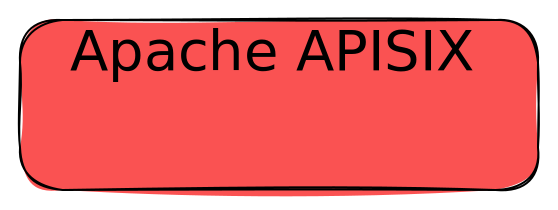
Note that the site doesn’t allow uploading SVGs for security reasons. Hence, images in this post are only for illustration purposes. If you want to check the SVGs, please check the original post
The code is straightforward:
<img src="/path/to/sample.svg">
The font doesn’t display correctly. The problem is that the SVG references fonts hosted on the Excalidraw site, but the browser blocks loading external resources within the <img> tag.
<svg version="1.1" xmlns="http://www.w3.org/2000/svg" viewBox="0 0 279 105" width="558" height="210">
  <!-- svg-source:excalidraw -->
  <defs>
    <style class="style-fonts">
      @font-face {
        font-family: "Virgil";
        src: url("https://excalidraw.com/Virgil.woff2");                      <!--1-->
      }
      @font-face {
        font-family: "Cascadia";
        src: url("https://excalidraw.com/Cascadia.woff2");                    <!--1-->
      }
      @font-face {
        font-family: "Assistant";
        src: url("https://excalidraw.com/Assistant-Regular.woff2");           <!--1-->
      }
    </style>

  </defs>
  <g stroke-linecap="round" transform="translate(10 10) rotate(0 129.5 42.5)"><path d="M21.25 0 C81.62 3.8, 139.66 -1.42, 237.75 0 C250.59 -1.17, 259.93 9.64, 259 21.25 C258.51 31.54, 257.14 41.34, 259 63.75 C261.41 78.91, 249.29 82.5, 237.75 85 C158.28 90.09, 75.18 88.25, 21.25 85 C4.94 87.35, 1.58 79.2, 0 63.75 C3.4 45.44, -0.7 30.9, 0 21.25 C0.39 6.4, 9.44 -2.51, 21.25 0" stroke="none" stroke-width="0" fill="#fa5252"></path><path d="M21.25 0 C103.06 -0.09, 187.43 -1.79, 237.75 0 M21.25 0 C79.85 0.05, 137.09 0.77, 237.75 0 M237.75 0 C252.86 -0.57, 257.37 8.56, 259 21.25 M237.75 0 C250.13 -1.01, 259.88 6.36, 259 21.25 M259 21.25 C259.81 34.45, 259.12 44.63, 259 63.75 M259 21.25 C258.68 34.84, 260.14 47.7, 259 63.75 M259 63.75 C260.64 78.64, 250.34 84.63, 237.75 85 M259 63.75 C260.73 78.19, 253.07 86.41, 237.75 85 M237.75 85 C162.07 84.49, 87.43 84.8, 21.25 85 M237.75 85 C190.14 83.44, 142.52 82.96, 21.25 85 M21.25 85 C7.08 83.75, 0.72 78.07, 0 63.75 M21.25 85 C8.98 83.25, -1 77.26, 0 63.75 M0 63.75 C-1.39 49.95, 1.59 36.43, 0 21.25 M0 63.75 C-1.13 54.2, -0.31 42.9, 0 21.25 M0 21.25 C-0.79 8.01, 5.21 -0.77, 21.25 0 M0 21.25 C-0.01 8.56, 8.29 1.26, 21.25 0" stroke="#000000" stroke-width="1" fill="none"></path></g><g transform="translate(34.900001525878906 35) rotate(0 104.5999984741211 17.5)"><text x="0" y="0" font-family="Virgil, Segoe UI Emoji" font-size="28px" fill="#000000" text-anchor="start" style="white-space: pre;" direction="ltr" dominant-baseline="text-before-edge">Apache APISIX</text></g>
</svg>- Load a font
Here are a couple of possible solutions.
Inline the SVG
An alternative is to copy-paste the content of the SVG file inside the HTML page.
<div>
    <svg>
        <!-- SVG content -->
    </svg>
</div>
The result conforms to our expectations:
The downside is that you need to copy-paste the new code when changes happen.
Embed the font as data
Another alternative is to transform the font to raw Base 64 data. I found this online tool very handy. We can update the SVG with the data:
<svg version="1.1" xmlns="http://www.w3.org/2000/svg" viewBox="0 0 279 105" width="558" height="210">
  <defs>
    <style class="style-fonts">
      @font-face {
        font-family: "Virgil";
        src: url(data:application/octet-stream;base64,d09GMk9UVE8AAO9AAAkAAAABO1AAAO73AAMAAAAAAAAAAAAAAAAAAAAAAAAAAAAA…[81,661 characters of base64 font data elided]…);
      }
    </style>
  </defs>
  <g stroke-linecap="round" transform="translate(10 10) rotate(0 129.5 42.5)"><path d="M21.25 0 C81.62 3.8, 139.66 -1.42, 237.75 0 C250.59 -1.17, 259.93 9.64, 259 21.25 C258.51 31.54, 257.14 41.34, 259 63.75 C261.41 78.91, 249.29 82.5, 237.75 85 C158.28 90.09, 75.18 88.25, 21.25 85 C4.94 87.35, 1.58 79.2, 0 63.75 C3.4 45.44, -0.7 30.9, 0 21.25 C0.39 6.4, 9.44 -2.51, 21.25 0" stroke="none" stroke-width="0" fill="#fa5252"></path><path d="M21.25 0 C103.06 -0.09, 187.43 -1.79, 237.75 0 M21.25 0 C79.85 0.05, 137.09 0.77, 237.75 0 M237.75 0 C252.86 -0.57, 257.37 8.56, 259 21.25 M237.75 0 C250.13 -1.01, 259.88 6.36, 259 21.25 M259 21.25 C259.81 34.45, 259.12 44.63, 259 63.75 M259 21.25 C258.68 34.84, 260.14 47.7, 259 63.75 M259 63.75 C260.64 78.64, 250.34 84.63, 237.75 85 M259 63.75 C260.73 78.19, 253.07 86.41, 237.75 85 M237.75 85 C162.07 84.49, 87.43 84.8, 21.25 85 M237.75 85 C190.14 83.44, 142.52 82.96, 21.25 85 M21.25 85 C7.08 83.75, 0.72 78.07, 0 63.75 M21.25 85 C8.98 83.25, -1 77.26, 0 63.75 M0 63.75 C-1.39 49.95, 1.59 36.43, 0 21.25 M0 63.75 C-1.13 54.2, -0.31 42.9, 0 21.25 M0 21.25 C-0.79 8.01, 5.21 -0.77, 21.25 0 M0 21.25 C-0.01 8.56, 8.29 1.26, 21.25 0" stroke="#000000" stroke-width="1" fill="none"></path></g><g transform="translate(34.900001525878906 35) rotate(0 104.5999984741211 17.5)"><text x="0" y="0" font-family="Virgil, Segoe UI Emoji" font-size="28px" fill="#000000" text-anchor="start" style="white-space: pre;" direction="ltr" dominant-baseline="text-before-edge">Apache APISIX</text></g>
</svg>
Because the SVG is self-contained, it now works:
The downside is that we cannot use the image directly; we need the additional transform processing step.
Use the <object> tag
The last option is the most straightforward one and the one I chose: instead of the <img> tag, use the <object> tag. For some reason, probably profoundly buried in a specification, the browser allows loading external resources from objects. This is the replacement code:
<object type="image/svg+xml" data="sample.svg" width=800></object>
Note the same original SVG, without any changes. And here’s the result:
The downside is that you don’t get any features from the <img> tag.
Conclusion
In this post, I’ve explained one of the issues of using embedded SVGs in HTML and a couple of alternatives to work around it.
To go further:
Originally published at A Java Geek on January 21th, 2024
Found a mistake, or something to add? Edit this page on GitHub

Nicolas Frankel
Technologist focusing on cloud-native technologies, DevOps, CI/CD pipelines, and system observability. His focus revolves around creating technical content, delivering talks, and engaging with developer communities to promote the adoption of modern software …