# More Free Shells for your Java IDE
> How to have less terminal windows opened and stay in the flow while working in your IDE.
- URL: https://foojay.io/today/more-free-shells-for-your-java-ide/
- Published: 2024-12-31
- Authors: Anthony Goubard
- Categories: Desktop, Eclipse, IntelliJ IDEA, NetBeans
You may be using one of the terminal applications installed on your operating system or use the included terminal panel of the IDE.
Not all shells are included in your IDE. Here is a list of shells by default supported for the IDE's based on my **Windows** computer.
| | | | |
|-----------------------------------|---------------|---------|-----------------|
| **Shell** | IntelliJ IDEA | Eclipse | Apache NetBeans |
| Command Prompt | ✅ | ✅ | |
| Powershell | ✅ | | |
| WSL (Windows Subsystem for Linux) | ✅ | ✅ | |
| Git Bash | (1) | ✅ | |
| Cygwin | (1) | | ✅ |
| SSH (Secure SHell) | | ✅ | ✅ |
(1) Even though IntelliJ IDEA doesn't offer Cygwin and Git Bash as option, it's possible to use one of them by going to the settings and provide a different default shell path.
Note that by JetBrains IntelliJ IDEA, I mean all JetBrains IDE's based on the same framework such as Android Studio, PyCharm, WebStorm, PhpStorm, IntelliJ IDEA Ultimate, ...
{{< img src="shell-intellij-choice.png" class="size-full is-resized" alt="Choice of shells in IntelliJ IDEA" width="393" height="142" style="width:371px;height:auto" caption="IntelliJ IDEA Shells" >}}
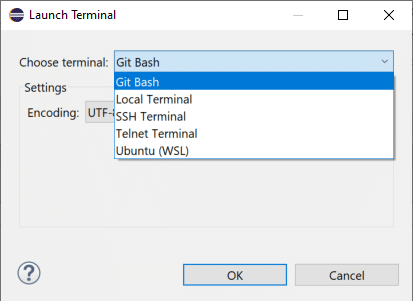 *Choice of shells in Eclipse*
## More Shells for Free
[Applet Runner](https://www.japplis.com/applet-runner/) is a free IDE plug-in available for JetBrains [IntelliJ IDEA](https://plugins.jetbrains.com/plugin/16682-applet-runner/), [Eclipse](https://marketplace.eclipse.org/content/applet-runner-eclipse) and [Apache NetBeans](https://plugins.netbeans.apache.org/catalogue/?id=57).
[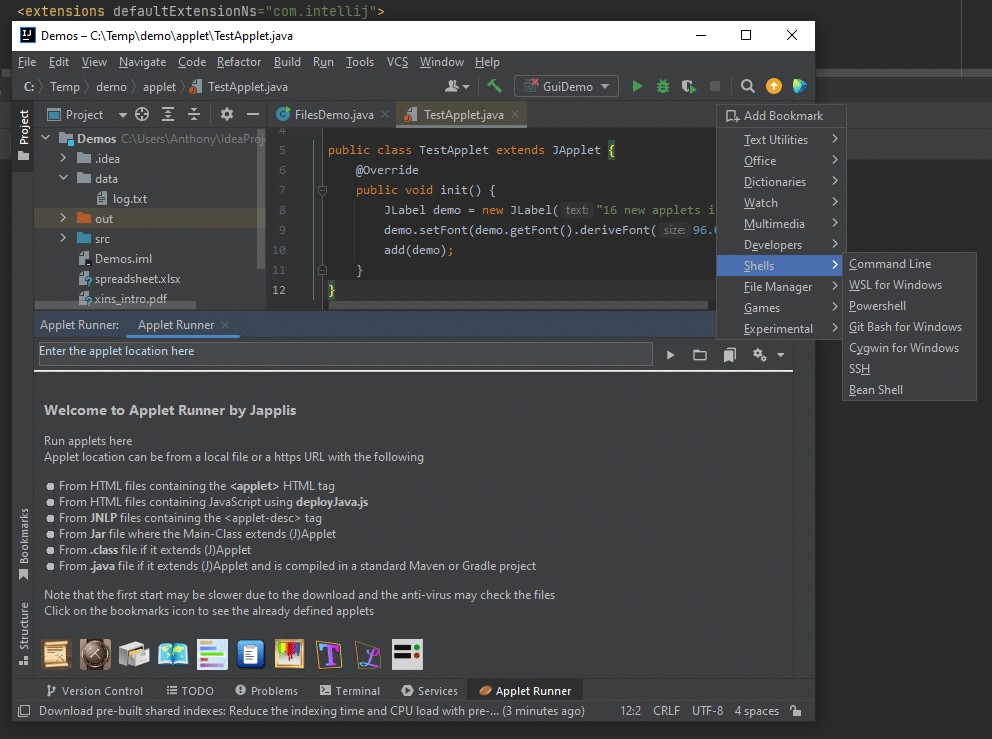](shell-menu-intellij.png) *New Shells menu in Applet Runner plug-in bookmarks*
Since I've developed a lot of software, mostly utilities, I thought it would be useful to have them run as IDE plug-in. To avoid creating and updating too many IDE plug-ins, [I've created this plug-in](https://foojay.io/today/write-once-run-embedded-in-any-ide/) and my software are distributed and running as applets.
At the same time, I've added many more applets like the ones mentioned in this article that are basically applets wrapping an open source library.
> Note that for Command Prompt, Powershell, WSL, Git Bash and Cygwin, they will need to be installed on your computer and the executable should be in your **PATH** environment variable.
### Command Prompt
Command Prompt aka cmd.exe aka MS-DOS is probably the most used shell on Windows. So it has been the first shell supported in Applet Runner.
I guess this applet greatly contributed to the success of this [plug-in](https://plugins.netbeans.apache.org/catalogue/?id=57) with more than 20,000 downloads for the Apache NetBeans IDE since it's not provided in the IDE for Windows.
[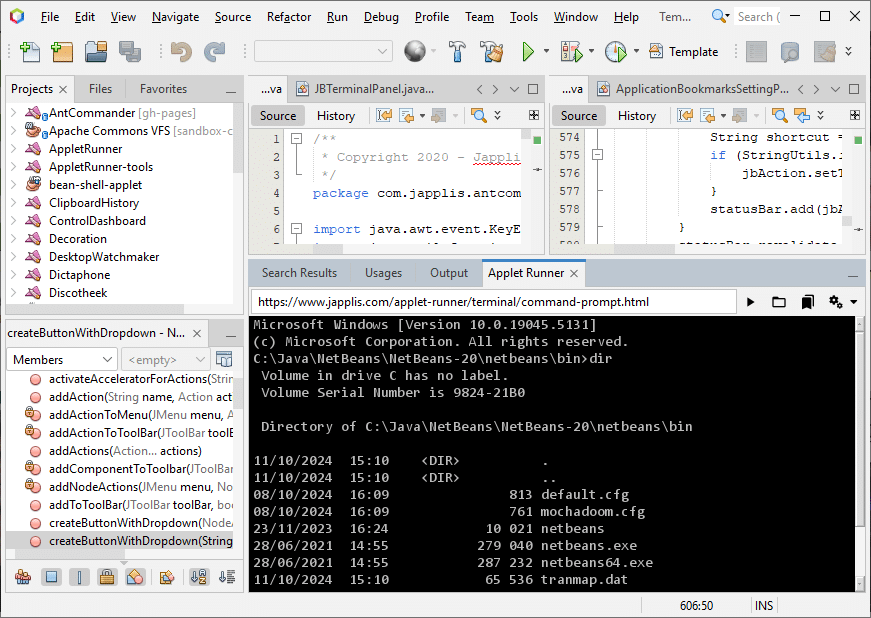](shell-command-prompt-netbeans.png) *Windows Command Prompt in Apache NetBeans IDE*
For macOS and Linux, it will start `zsh` or `bash` or whatever shell that is defined in your `SHELL` environment variable.
### Powershell
[Powershell](https://learn.microsoft.com/en-us/powershell/) is Microsoft software to provide a more powerful shell to advanced user.
[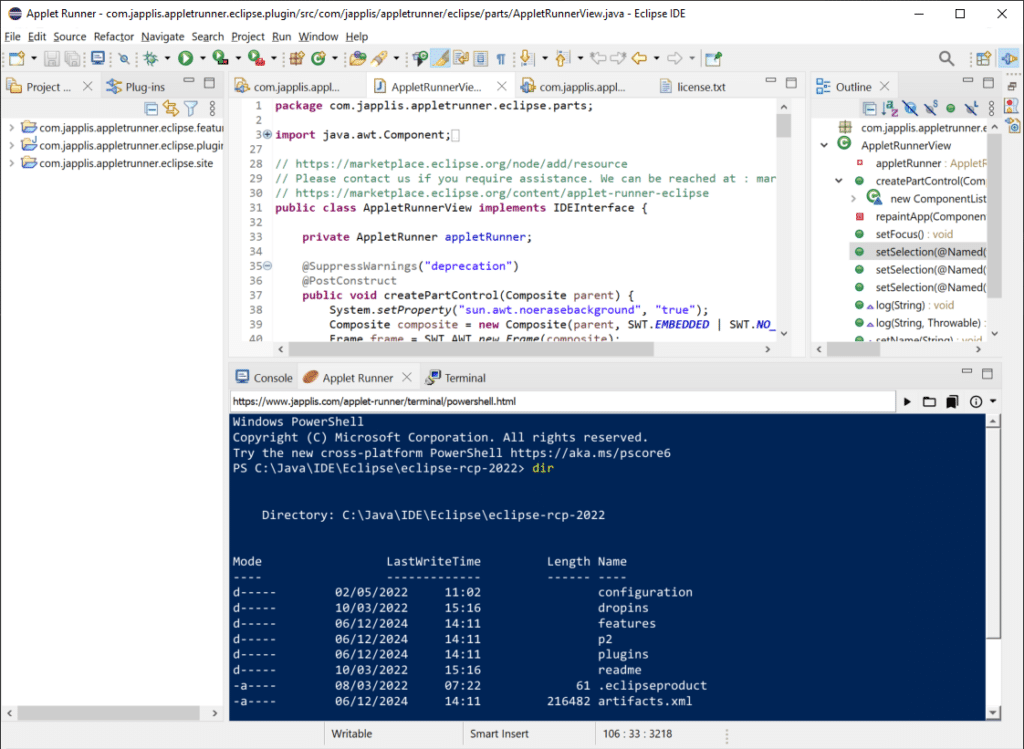](shell-powershell-eclipse.png) *Powershell running in Eclipse IDE*
Note that the background and foreground colors are defined in the applet parameters.
Powershell is also available for macOS and Linux, so I have adapted the applet to also make it work for these OSes but I haven't tested it.
### Windows Subsystem for Linux (WSL)
[WSL](https://learn.microsoft.com/en-us/windows/wsl/) offers a Linux prompt on Windows. If your application is running on Linux on production, maybe you want to run it also on Linux in your development environment.
[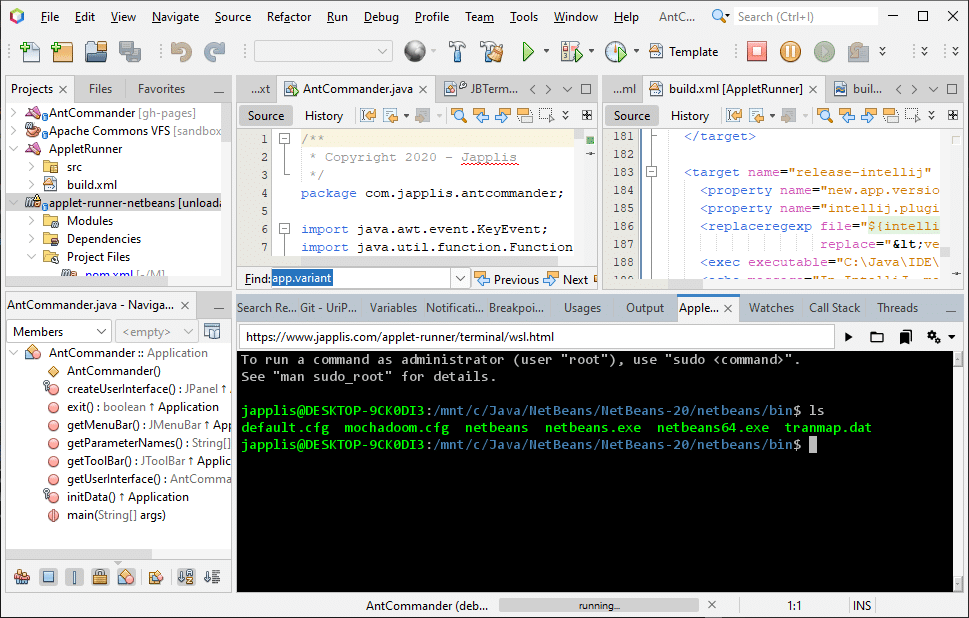](shell-wsl-netbeans.png) *Windows Subsystem for Linux running in Apache NetBeans*
### Git Bash
Git is included in IDE's but sometimes you need to run more exotic Git commands. That's where [Git Bash](https://git-scm.com/downloads/win) becomes handy.
With this applet you won't need to have a separate terminal window for Git Bash, you can do it now in your IDE.
[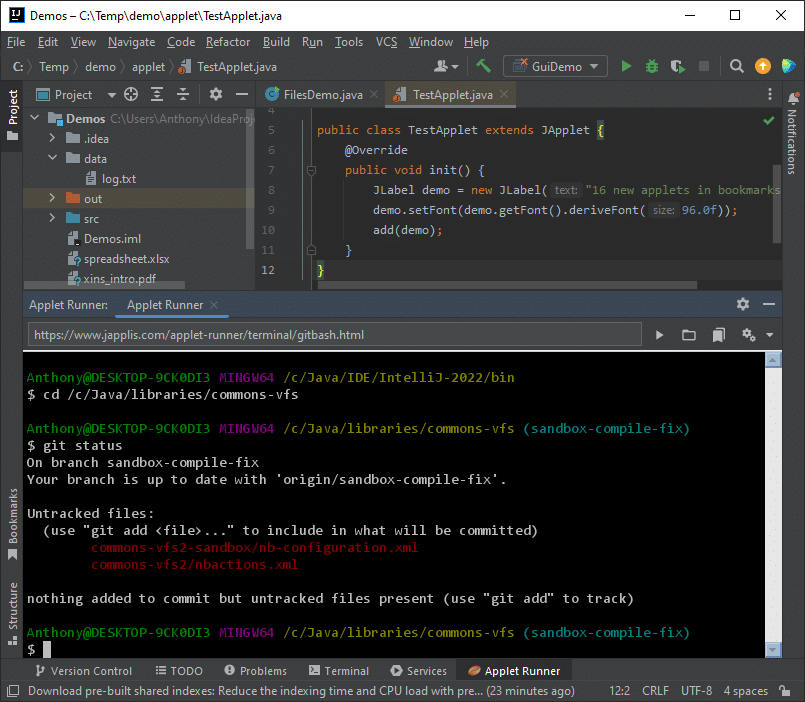](shell-gitbash-intellij.png) *Git Bash running in JetBrains IntelliJ IDEA*
### Cygwin
[Cygwin](https://cygwin.com/) is a unix Bash for Windows. If you like Bash but don't want to start a Linux VM, Cygwin could be your shell to go.
[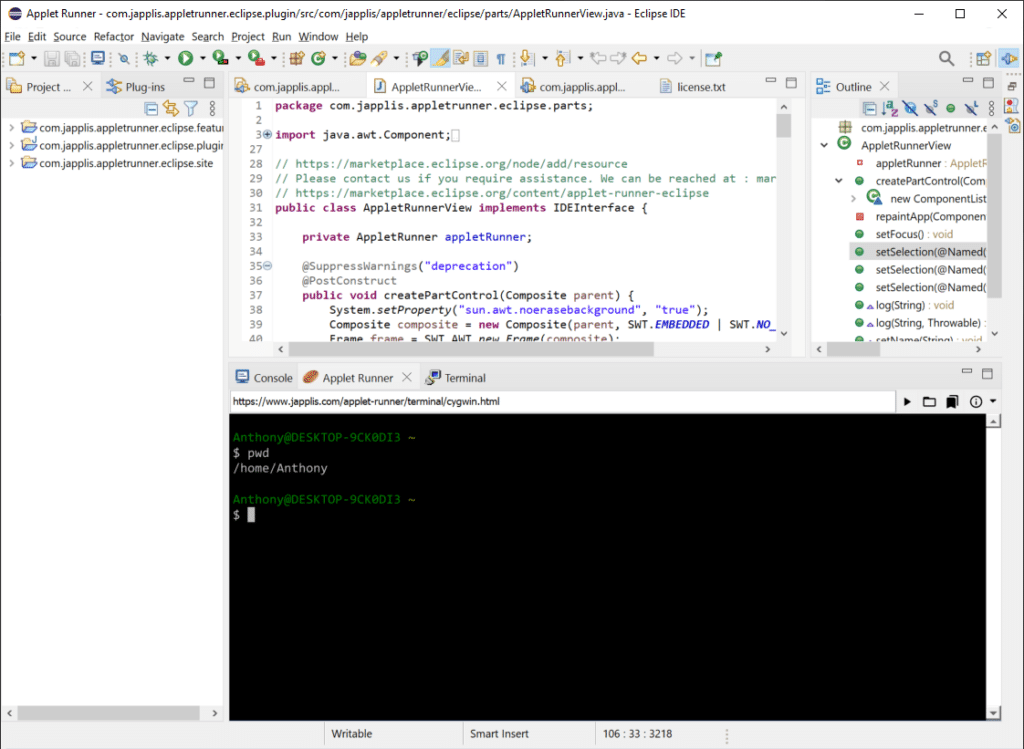](shell-cygwin-eclipse.png) *Cygwin in Eclipse IDE*
If `Cygwin.bat` directory is not in your `PATH` environment variable, it will try to find it with `CYGWIN_HOME` or if `cygwin\bin` is in the `PATH`.
### SSH
SSH (Secure SHell) is used to connect securely to a remote computer.
[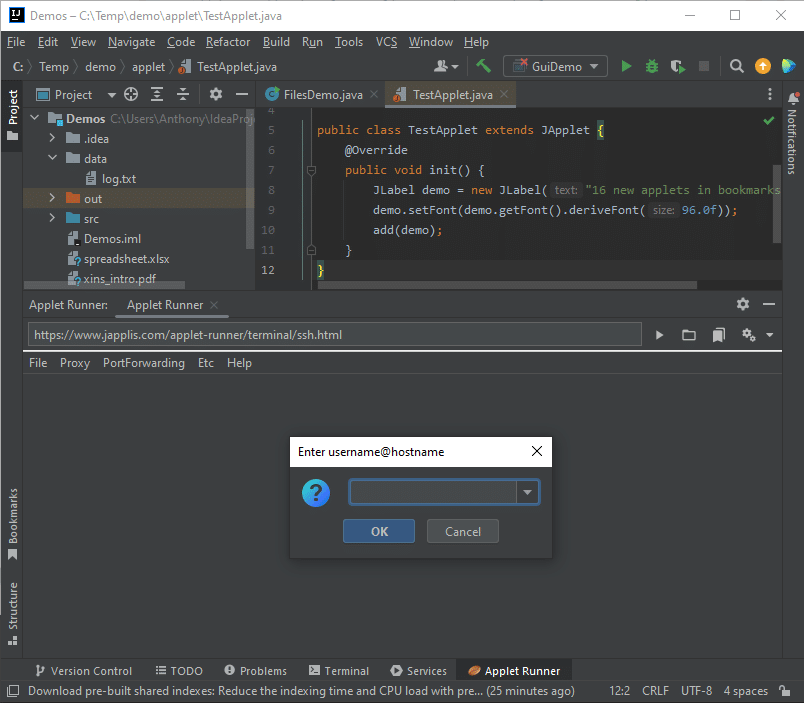](shell-ssh-intellij.png) *SSH in IntelliJ IDEA*
### Bean Shell
[Bean Shell](https://beanshell.github.io/) is a script language similar to Java that can be interpreted in a console. This is very similar to JShell.
[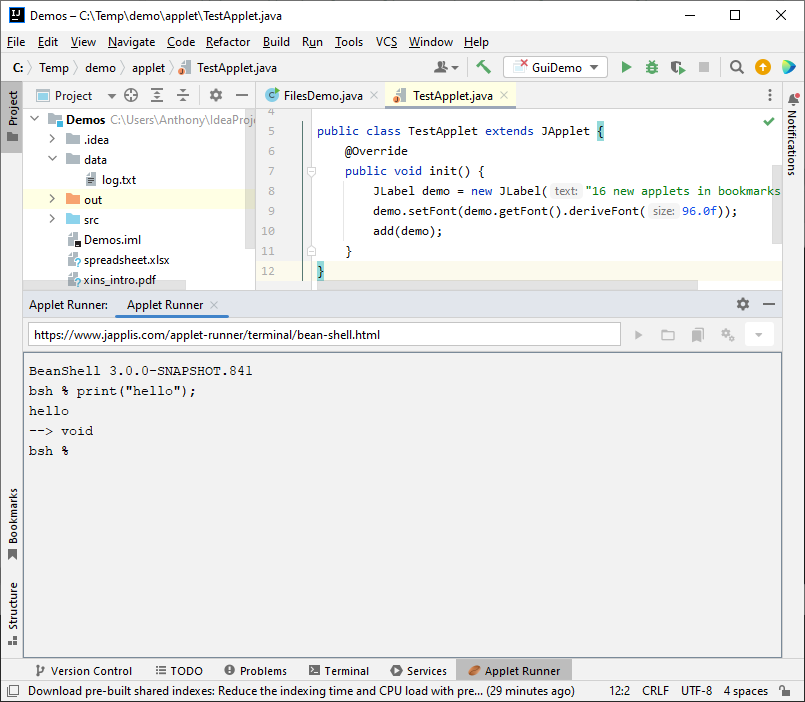](shell-beanshell-intellij.png) *Bean Shell running in JetBrains IntelliJ IDEA*
## More power
Let's see two ways to bring more power to your shell.
### Applet Runner Pro
There is also a [pro version of Applet Runner](https://www.japplis.com/applet-runner/pro/) (€ 2.90 per month) with:
* Execute **several applets at the same time**. For example, adding shells in a new tab or next to the other one (split pane).
* **Override start-up parameters** by providing query parameters to the applet link
* Terminal applet to support **File parameter**
* **Dropping file** or directory to the panel will print the full path to the terminal
* And [more features](https://www.japplis.com/applet-runner/pro/#features)
| | | |
|------------------|-------------------------------------------------------|-----------|
| *Parameter name* | *Description* | *Example* |
| Background | Background color of the shell Red-Green-Blue (rrggbb) | 000000 |
| Foreground | Foreground color of the shell | 00FF00 |
| File | Directory for the shell | C:\\Java |
For example: *`https://www.japplis.com/applet-runner/terminal/command-prompt.html?Background=000000&Foreground=00FF00&File=C:\Java`*
[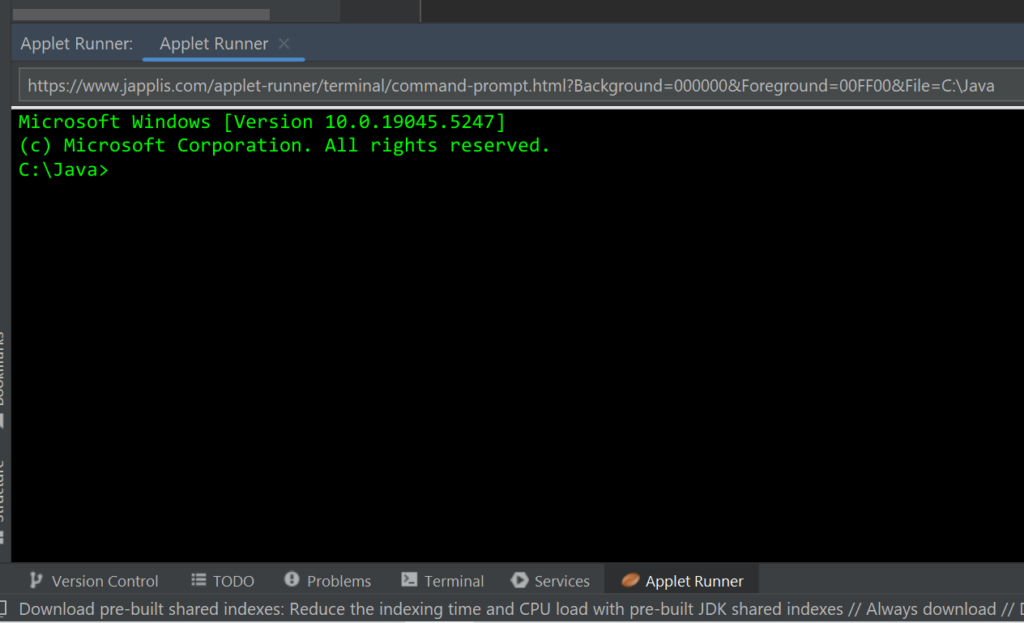](shell-prompt-java.png) *Command Prompt with specific parameters* [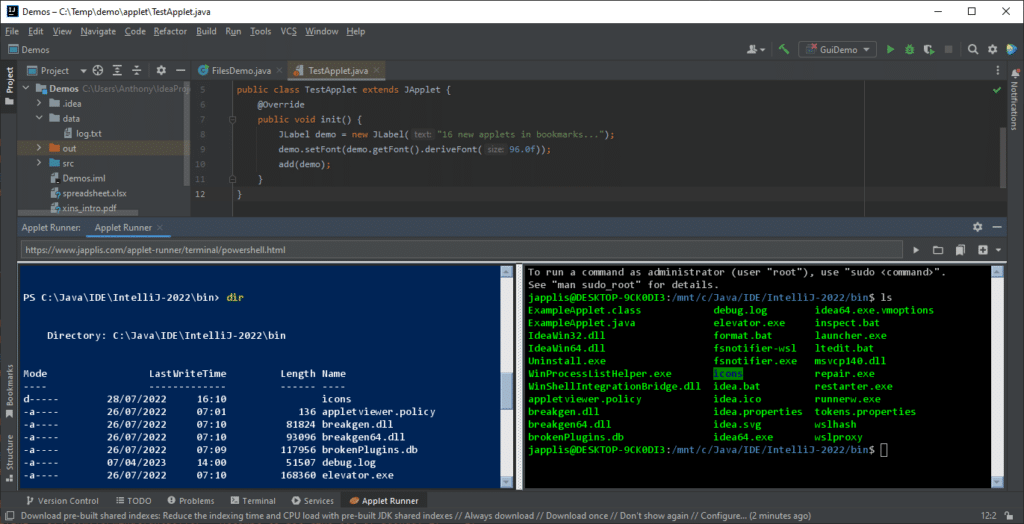](shell-applet-runner-pro-slipt.png) *IntelliJ IDEA running 2 shells next to each other with Applet Runner Pro plug-in*
### Ant Commander Pro
These shells are also available in [Ant Commander Pro file manager](https://www.antcommander.com/) that can be run as applet in the IDE.
Here is what you get as extra for the terminal shells (Command line, Powershell, WSL, Git Bash, Cygwin):
* Define the start-up directory
* Start in the last directory used
* Add more shells in tabs and splits, even with the free version of Applet Runner
* Better navigation of directories: Breadcrumbs, Bookmarks, History menu, Alt + Up, Tree navigation (see screenshot), …
* Store favorite commands in a re-usable list
* Easily define the background and foreground colors in the settings
* Shell in an external window always on top (Shift + F12) and translucent (Shift + Ctrl + F12 and Shift + Alt + Mouse wheel)
* Plus all the [other features](https://www.antcommander.com/#features) of Ant Commander Pro
[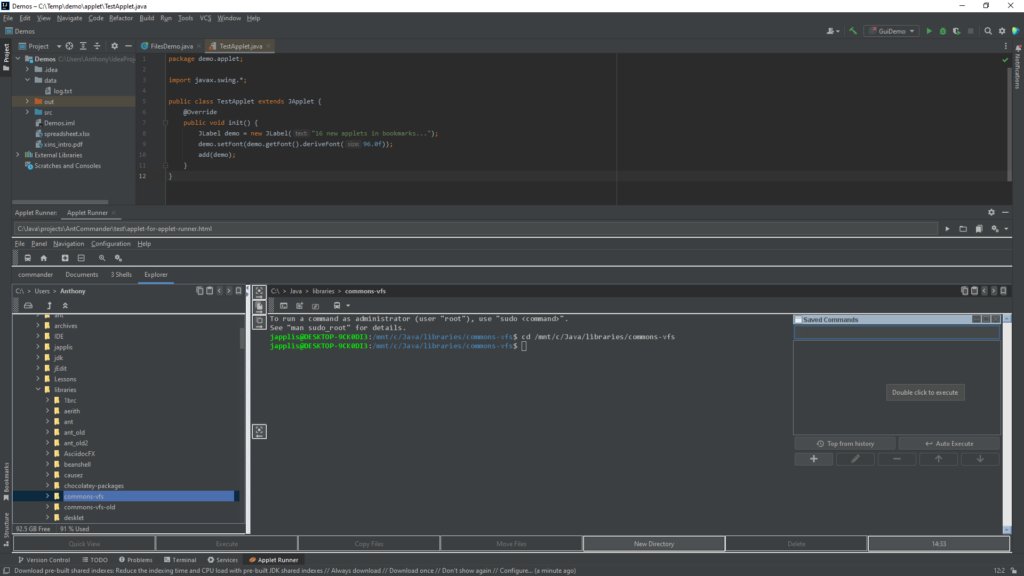](shell-ant-commander-pro-intellij.png) *Applet Runner running Ant Commander Pro file manager*
## Conclusion
In this article, we have seen how you could extend your IDE to provide more shells.
This may help you have less terminal windows opened and stay in the flow while working in your IDE.