No-Boilerplate, Warning-Free and Reproducible Builds on Maven 4

This work was sponsored by Flow Logix. Generate a ready-to-run Jakarta EE project at start.flowlogix.com.
Maven 4 GA is close. The final release is expected in 2026, or so they say. It is time to prepare.
This article covers what changes in your daily work with Maven 4, and how a base POM gives you builds with no warnings, no boilerplate and truly reproducible builds.
Maven 4 warns about plugin versions
Take the smallest possible project, with no parent and no plugin section, and build it with Maven 4:
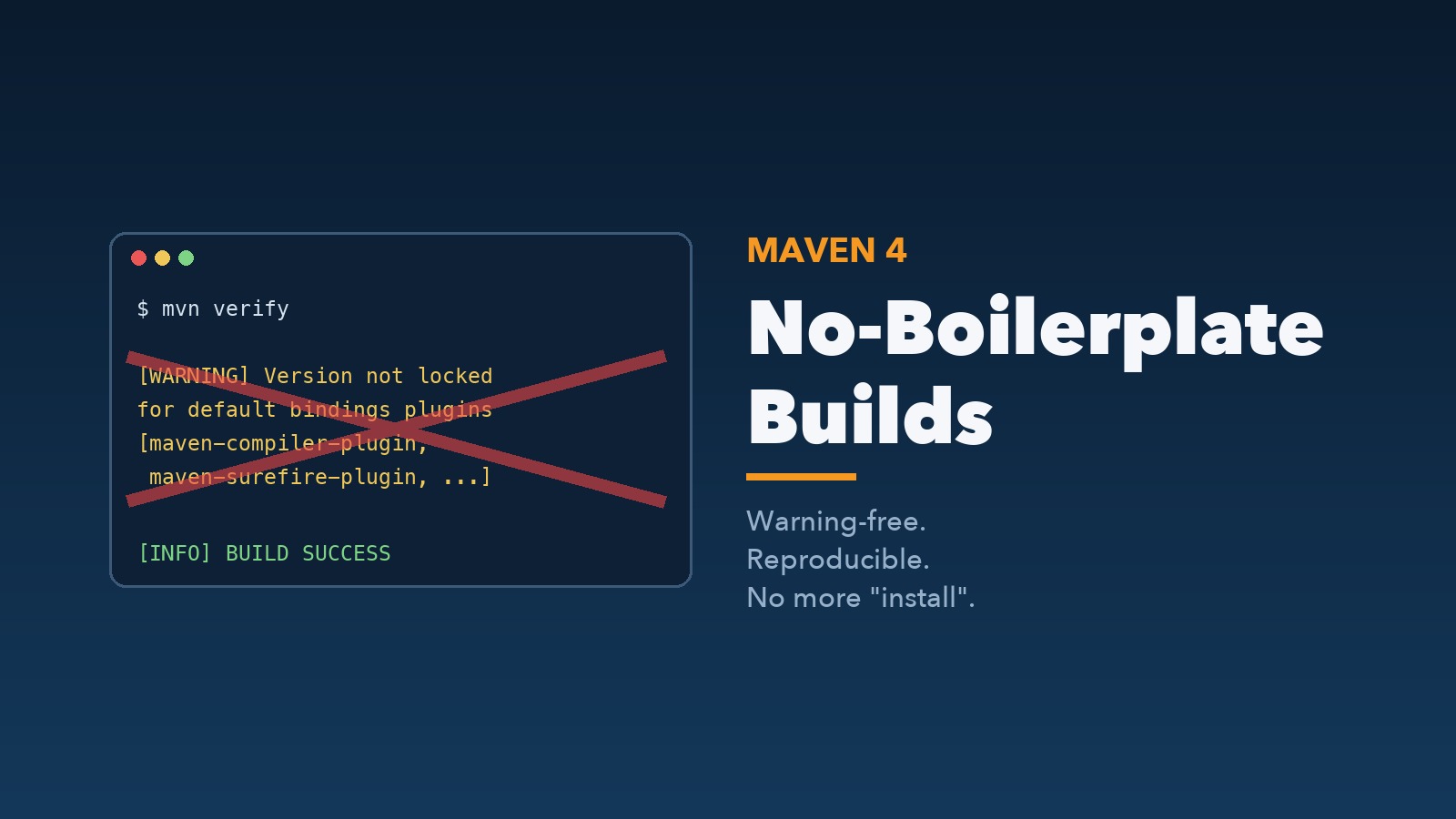
[WARNING] Version not locked for default bindings plugins [maven-resources-plugin,
maven-compiler-plugin, maven-surefire-plugin, maven-jar-plugin], you should define
versions in pluginManagement section of your pom.xml or parent
Maven 3 builds the same project without any warnings.
The warning is legit. If you do not say which plugin versions to use, Maven picks its own defaults, and those defaults change from one Maven version to the next. The same source code can then build differently on two machines. The Maven 4 notes say: always define fixed versions of all the plugins you use.
To make the warning go away, you have to lock the version of every standard plugin. That is a block like this for each one, in every project you own:
<plugin>
    <groupId>org.apache.maven.plugins</groupId>
    <artifactId>maven-compiler-plugin</artifactId>
    <version>3.16.0</version>
</plugin>
Nobody wants to copy that into every project and keep the versions current by hand. The practical answer is a base POM: one parent that locks the versions for you.
The solution: a base POM
Here is the same small project with the FlowLogix Base POM as its parent:
<parent>
    <groupId>com.flowlogix</groupId>
    <artifactId>base-pom</artifactId>
    <version>150</version>
</parent>
The build has no warnings. The project’s own POM has no plugin section at all.
base-pom is deliberately small. It sets the Java release and the source encoding, and it locks the versions of the standard plugins: enforcer, compiler, surefire, failsafe, source, javadoc, dependency, deploy, release, clean, resources, jar, war, ear, install, jxr, site and project-info-reports. It adds no behavior. It is updated about once a week. To pick up a new release, you change one version number, and Dependabot or Renovate can do that for you.
Already have a company parent POM?
Keep it. Make the FlowLogix base POM the parent of your company’s parent POM:
<!-- your company's parent POM -->
<parent>
    <groupId>com.flowlogix</groupId>
    <artifactId>base-pom</artifactId>
    <version>150</version>
</parent>

<groupId>com.mycompany</groupId>
<artifactId>company-parent</artifactId>
<version>12</version>
<packaging>pom</packaging>
Your projects keep the parent they have today. Every one of them gets the locked plugin versions through it, and your company settings stay where they are. This is how you use the FlowLogix POM in corporate code without changing a single project.
What about mixins?
A parent POM has one known limit. A project can have only one parent.
Maven’s answer is mixins, which let a project pull in shared build configuration from several places. According to the Maven guide, mixins come with Maven 4.2 and a new model version. My guess is that they will not be usable in everyday projects before 2028.
When mixins are available, FlowLogix will move from a base POM to mixins. Until then, a parent is the only way to get a warning-free build without copying plugin versions around.
Use properties, not plugin configuration
Here is the second source of build boilerplate. To change one setting of one plugin, you normally write this:
<build>
    <plugins>
        <plugin>
            <groupId>org.apache.maven.plugins</groupId>
            <artifactId>maven-surefire-plugin</artifactId>
            <configuration>
                <redirectTestOutputToFile>false</redirectTestOutputToFile>
            </configuration>
        </plugin>
    </plugins>
</build>
With a parent that exposes its settings as properties, such as the FlowLogix infra-pom described below, the same change is one line:
<properties>
    <test.redirect.to.file>false</test.redirect.to.file>
</properties>
A property is also easy to change for one run, with no edit to the POM:
mvn verify -Dtest.redirect.to.file=false
This is the rule the FlowLogix POMs follow. Wherever a setting can be a property, it is one.
No more install for multi-module projects
In Maven 3, working inside one module of a multi-module project was painful. Either you ran mvn install first, which copies half-finished artifacts into your local repository, or you stayed at the top and typed flags such as -pl :app -am every time.
Maven 4 removes both. I tested this with a project that has two modules, where app depends on lib.
| Step | Maven 3 | Maven 4 |
|---|---|---|
| Passes | Passes |
Then | Fails, | Passes |
Maven 4 keeps the modules it has built in a repository inside the project itself. Build the project once with mvn verify, and from then on you can run tests from inside any module.
This also keeps ~/.m2 clean. With install, every local build leaves a snapshot of your modules in the local repository, and every other project and branch on your machine can pick it up. A stale or half-finished snapshot there is how a build passes on your machine and fails everywhere else. With Maven 4, none of your own modules go into ~/.m2, and mvn clean removes what was built.
The Maven team’s own advice is the same: do not use mvn clean install for your regular builds. Use mvn verify.
Maven 4 also has mvn -r, which resumes a failed build from the module that failed, with no module name to type.
Faster multi-module builds
Multi-module builds can run their modules in parallel. Add a build cache, and work that is already done is not repeated.
We measured a sample run with eight modules, each with one slow test. These are the results, and your mileage may vary:
Building modules in parallel with
mvn -T 8was 4 times faster than building them one after another.mvnd, the Maven daemon, was 6 times faster. It builds modules in parallel by default and keeps a warm JVM between builds.
With the Maven build cache, a repeated
mvn verifywas 6 times faster. With mvnd and the cache together, it finished in half a second.
The cache is one small file in your project, .mvn/extensions.xml. The starter project from start.flowlogix.com comes with it already set up.
No Maven to install or manage
You do not have to install Maven at all. The Maven Wrapper is a small mvnw script in your project that downloads the right Maven version the first time you run it. Everyone on the team, and your CI, builds with the same version.
Three things make it easy to live with:
One file of configuration. The Maven version is one line in
.mvn/wrapper/maven-wrapper.properties. There is no JAR file to commit.Dependabot keeps it current. Dependabot now updates the Maven Wrapper automatically, the same way it updates your dependencies.
A JDK on demand may come next. There is an open proposal for the wrapper to download the JDK as well, using the foojay Disco API. If it is accepted, a fresh machine will need nothing installed to build your project.
What the Infra POM gives you
base-pom only locks versions. infra-pom is the next step up. It is the parent to use when you want a complete build with nothing to configure.
<parent>
    <groupId>com.flowlogix</groupId>
    <artifactId>infra-pom</artifactId>
    <version>150</version>
</parent>
It is opinionated, and the opinions are not all or nothing. Every one of them is a property, so if you do not want it, you turn that one off in one line and keep the rest. Anything that costs time or needs outside setup is off until you ask for it.
Here is what you get:
Reproducible builds. Every archive gets the same fixed timestamp. I built a project twice from clean, and the JAR, the sources JAR and the javadoc JAR had identical checksums both times.
Build checks. The build stops early if Maven or the JDK is too old, if dependency versions disagree with each other, or if JUnit 4 sneaks in.
Useful compiler settings. Warnings are shown, deprecated and unchecked code is reported, and parameter names are kept for Jakarta EE and other libraries. Annotation processing is turned on, which newer JDKs no longer do on their own, so Lombok and other processors keep working.
Fast, useful tests. Unit tests run in parallel and in random order, so tests that depend on each other show up early. JUnit’s parallel settings come from the POM, so there is no
junit-platform.propertiesfile to add to each module. Output goes to files, and the console stays quiet.Integration tests wired in. Any class named
*ITruns in the integration test phase, and the build stops if one of them fails.A demo directory facilitates clean documentation and compiled javadoc snippets. See below.
JPA static metamodel. Generated classes such as
Customer_are picked up as source, so your IDE and javadoc see them. The server POMs add the processor that generates them.Code style checks. Checkstyle runs at the start of the build. See below for how to use your own license header.
API compatibility checks. The build can compare your public API with the last release and fail on a breaking change. This is off until you turn it on.
Code coverage. JaCoCo combines unit and integration tests across modules, including on application servers. It does nothing until you add the JaCoCo plugin to your project and run with
-Pcoverage.Versions of common libraries. The Jakarta EE API, Lombok, Mockito and ShrinkWrap have versions set. Nothing is added to your project. A version applies only if you declare the dependency yourself.
Releases. Artifacts are signed, uploaded together at the end of the build, and published with a software bill of materials. Only the release tag is pushed to git. None of it runs during a normal build.
The Base POM documentation lists every property and how to change it.
Note | infra-pom loads Mockito as a Java agent for tests, the way current JDKs require, so your project needs Mockito as a test dependency. The unit-test dependency chain brings Mockito, JUnit or TestNG and AssertJ in one dependency. If you do not use Mockito, set the mockito.agentOptions property to empty. |
A demo directory
infra-pom adds one source folder that Maven does not have: src/demo/java.
Code in it is compiled and can be tested like test code, and it is not shipped in your JAR. It is the place for examples that show how your library is used. Because they are compiled on every build, they cannot go stale.
Javadoc with real snippets
Those demos can appear in your documentation. Mark a region in a demo class:
class GreeterDemo {
    String demo() {
        // @start region="greet"
        var greeter = new Greeter();
        return greeter.greet("Duke");
        // @end
    }
}
Then point to it from the javadoc of the class it documents:
/// Greets people.
///
/// {@snippet class="com.example.GreeterDemo" region="greet"}
public class Greeter {
The generated documentation shows the two lines of code from the demo. The example in your javadoc is code that compiled and passed a test. On JDK 25 and later, it is syntax highlighted as well. Jakarta EE other types in your javadoc link to their own API documentation, for the Jakarta EE version you build with.
Javadoc is kept in a separate profile, so it does not slow down your regular development builds. Run mvn verify -Pdocs when you want the documentation built.
Your own license header
Checkstyle is the most opinionated part of the POM. The default header is the Flow Logix one, so the first thing to do is to use your own. Put your header text in a file in your project, for example src/checkstyle/header.txt, and point one property at it:
<properties>
    <checkstyle.headerLocation>${maven.multiModuleProjectDirectory}/src/checkstyle/header.txt</checkstyle.headerLocation>
</properties>
Every source file is then checked against your header. The starter project from start.flowlogix.com is set up this way.
Server POMs: Payara, GlassFish and Quarkus
Above infra-pom there is one more level, for projects that run on a server.
<parent>
    <groupId>com.flowlogix</groupId>
    <artifactId>payara-pom</artifactId>
    <version>150</version>
</parent>
With payara-pom or glassfish-pom as the parent, mvn verify downloads the server, starts it before the integration tests and stops it when they finish. Arquillian is already set up to deploy to it. There is no server to install. Supports Docker and TestContainers.
quarkus-pom is the parent for Quarkus applications. It adds the Quarkus Maven plugin and the Jakarta EE APIs, and mvn verify -Dnative builds a native executable.
What this buys you
Add the pieces together:
A base POM locks plugin versions, so Maven 4 builds with no warnings.
Settings are properties, so your POM stays boilerplate-free.
Maven 4 lets you build and test from inside any module, with no
installand no half-finished artifacts polluting~/.m2.Parallel builds, mvnd and the build cache keep it fast.
infra-pomadds reproducible archives, build checks, releases and tests, with nothing to configure.Demo code is compiled and tested, so the examples in your javadoc cannot go stale.
The server POMs download, start and stop Payara or GlassFish for your integration tests, and set up Quarkus builds.
The POM of a project built this way contains its name, its parent and its dependencies. That is all.
Try it
Removing boilerplate is the number one motto of Flow Logix. Go to start.flowlogix.com and generate a project. It comes with the base POM, the Maven wrapper and the build cache in place. Then run:
./mvnw verify
How it compares to BasePOM.org
BasePOM.org has been around since 2010, and it is also a good choice. Both projects do the same basic job. They lock plugin versions, check your Maven and JDK, and let you change settings with properties. Each makes its own tradeoffs.
Here is what the FlowLogix Base POM does differently:
FlowLogix keeps the maven build light. It runs Checkstyle and your tests. It is built with the assumption that CI and cloud services already do the heavy scanning, so the local build does not repeat it. BasePOM.org runs SpotBugs, dependency analysis and code coverage on every
mvn verify, and its larger parents add PMD and Checkstyle.FlowLogix starts with nothing. Its smallest parent locks versions and does nothing else. Each level above it adds more, up to the parents for Payara, GlassFish and Quarkus. Even the smallest BasePOM.org parent runs checks.
FlowLogix adds new ideas. The demo directory and compiled javadoc snippets are FlowLogix features. So is Mockito loaded as a Java agent, with nothing for you to set up. BasePOM.org has none of the three.
FlowLogix targets modern Java and Maven. It defaults to Java 25 and works on Maven 4 today. BasePOM.org starts at Java 17 and targets Maven 3, with Maven 4 support planned.
FlowLogix is released more often. A release comes out about once a week, so plugin versions stay fresh. BasePOM.org is released a few times a year.
FlowLogix has a smaller release setup. It only signs and writes the bill of materials, and leaves the upload to Njord. BasePOM.org signs and uploads to Maven Central from its release profile.
BasePOM.org gives you more out of the box: more checks, executable JAR packaging and a longer track record. If you want the build itself to enforce everything, it is the better fit. If you want a small, fast build on modern Java and Maven, use the FlowLogix Base POM.
About the author
Lenny Primak is an open source maintainer, the Apache Shiro PMC Chair, and a contributor to Jakarta EE, Jersey, Weld, Grizzly and Arquillian. Find him on GitHub and LinkedIn.
His Jakarta EE work is sponsored by Flow Logix, which builds open source components for Jakarta EE applications. See the projects at github.com/flowlogix.
This work is unpaid. If it was useful to you, you can support it through GitHub Sponsors: Flow Logix.
Found a mistake, or something to add? Edit this page on GitHub

Lenny Primak
Lenny Primak is an open source maintainer, the Apache Shiro PMC Chair, and a contributor to Jakarta EE, Jersey, Weld, Grizzly and Arquillian. He is also a professional jet pilot based in Nebraska. His open source work is sponsored by Flow Logix.