# OpenID Federation with pac4j and CAS
> Build an OpenID Federation with pac4j as the Java relying party and Apereo CAS as both OpenID Provider and trust anchor.
- URL: https://foojay.io/today/openid-federation-with-pac4j-and-cas/
- Published: 2026-10-30
- Authors: Jérôme LELEU
- Categories: Java, Security, Tutorials
- Originally published at: https://www.pac4j.org/blog/openid_federation_with_pac4j_and_cas.html
OpenID Connect (OIDC) has become the go-to protocol for modern application login, progressively taking over many use cases previously handled by SAML or custom authentication built around OAuth. [OIDC adds a standardized identity layer on top of OAuth 2.0](https://openid.net/specs/openid-connect-core-1_0.html): OAuth provides delegated authorization, while OIDC also tells an application who has signed in.
The ecosystem has grown into a family of specifications covering many needs, from provider discovery and dynamic client registration to session management and logout. But one piece was still missing from that picture: a standard way to establish trust across an entire federation without separately onboarding every application at every identity provider. This is the problem addressed by [OpenID Federation](https://openid.net/specs/openid-federation-1_0.html).
In a typical OIDC setup, you register a **Relying Party (RP)**, the client application, at an **OpenID Provider (OP)**, the OIDC server. You configure its redirect URIs and obtain a `client_id` and, commonly, a `client_secret`. Repeat that process for each application and each provider, and the administrative work quickly adds up.
OpenID Federation introduces a trusted third party: the **trust anchor (TA)**. The RP and OP establish trust through signed entity statements and trust chains rooted in a common trust anchor. This lets them obtain and validate each other's metadata, with registration handled automatically or through an explicit federation registration exchange. In the setup below, we use keys and `private_key_jwt` client authentication instead of provisioning a shared client secret at the OP. The trust anchor establishes trust between the participants; the OP still authenticates the user.
[pac4j](https://www.pac4j.org/) is an open-source Java security library for authentication and authorization across multiple web frameworks. I am Jérôme LELEU, its creator and maintainer. Since version 6.4.0, pac4j has supported OpenID Federation as an RP and, to my knowledge, was the first Java security library to do so.
Before bringing this example to Foojay, I explored the protocol in three articles on the pac4j blog:
- **pac4j and Connect2id, parts [1](https://www.pac4j.org/blog/openid_federation_with_pac4j_and_connect2id.html) and [2](https://www.pac4j.org/blog/more_openid_federation_with_pac4j_and_connect2id.html).** The first established a working setup with pac4j as the RP, Connect2id as the OP and a simulated trust anchor. The second went further into the login exchanges, trust-chain caching, and the differences between automatic and explicit client registration, including the credentials returned by the provider.
- **[pac4j, Connect2id and CAS](https://www.pac4j.org/blog/openid_federation_with_pac4j_connect2id_and_cas.html).** The third replaced the simulated trust anchor with an Apereo CAS server, keeping Connect2id as the OP to demonstrate interoperability between the implementations.
You do not need to read those articles to follow this tutorial: we will configure all three participants here.
pac4j is already a first-class citizen in [Apereo CAS](https://www.apereo.org/projects/cas): CAS uses it for delegated authentication, token authentication and security within its OAuth/OIDC support. Testing them together in an OpenID Federation flow is a natural next step. With CAS 8.1 adding support for the federated OP role, we can now use **pac4j as the RP and two CAS servers as the OP and trust anchor**. Let's put that setup into practice.
## 1) The three participants
Our setup has three components:
- a client, which is called the Relying Party (RP) in OIDC, and we use pac4j
- a server, which is called the OpenID Provider (OP) in OIDC, and we use the CAS server
- a trust anchor (TA for short) and we use the CAS server.
Although we use the CAS server for the OP and the TA, we can't use a single CAS node: we have two separate nodes of the CAS server, each supporting an exclusive role.
We use the following local URLs:
- the OP runs on `http://localhost:8080/cas`
- the RP runs on `http://localhost:8081`
- the TA runs on `http://localhost:8082/cas`.
## 2) CAS common configuration
For the CAS server nodes, we use this basic Maven overlay: [https://github.com/casinthecloud/cas-overlay-demo](https://github.com/casinthecloud/cas-overlay-demo).
The example below uses CAS `8.1.0-RC1` and Java 25 for the CAS nodes, with `spring-webmvc-pac4j` `8.0.3` and `pac4j-oidc` `6.5.6` for the RP. These are the **minimal** versions used for this walkthrough. You also need Maven and three separate working directories, one for each participant.
Both our CAS servers have a similar `pom.xml` file:
```xml
4.0.0
com.casinthecloud
cas-overlay-demo
8.1.0-SNAPSHOT
war
org.apereo.cas
cas-server-webapp${tomcat.properties}
${cas.version}
war
runtime
org.apereo.cas
cas-server-support-oidc-federation
${cas.version}
org.apache.maven.plugins
maven-war-plugin
3.3.1
false
false
false
${project.build.directory}/war/work/org.apereo.cas/cas-server-webapp${tomcat.properties}/META-INF/MANIFEST.MF
org.apereo.cas
cas-server-webapp${tomcat.properties}
org.apache.maven.plugins
maven-compiler-plugin
3.8.1
${java.version}
org.springframework.boot
spring-boot-maven-plugin
4.2.0-M1
org.apereo.cas.web.CasWebApplication
org.apereo.cas
cas-server-webapp-tomcat
repackage
cas
8.1.0-RC1
25
-tomcat
UTF-8
```
The OP has one more CAS dependency though (compared to the TA):
```xml
org.apereo.cas
cas-server-support-oidc
${cas.version}
```
And the configuration specific to each server changes.
For the pac4j application, we use this simple demo: [https://github.com/pac4j/simple-spring-boot-pac4j-demos/tree/oidc/src/main/java/org/pac4j/demos](https://github.com/pac4j/simple-spring-boot-pac4j-demos/tree/oidc/src/main/java/org/pac4j/demos).
## 3) Set up a CAS server as the OP
In the OP node's `application.yml` file, let's set up the CAS server to act as the OpenID Provider:
```yaml
server.ssl.enabled: false
server.port: 8080
cas.tgc.secure: false
cas.tgc.same-site-policy: Lax
cas.tgc.crypto.enabled: false
cas.webflow.crypto.enabled: false
cas.server.name: http://localhost:${server.port}
cas.server.prefix: ${cas.server.name}/cas
cas.host.name: casop
cas.authn.oidc.jwks.file-system.jwks-file: file:./metadata/oidc.jwks
cas.authn.oidc.federation.role: OPENID_PROVIDER
cas.authn.oidc.federation.jwks-file: file:./metadata/federation.jwks
cas.authn.oidc.federation.authority-hints:
- http://localhost:8082/cas/oidc
cas.authn.oidc.core.issuer: ${cas.server.prefix}/oidc
```
The configuration is quite easy: we set up the CAS server to run on `http://localhost:8080/cas` (no SSL, `Lax` policy, no cookie/webflow encryption, **this is for development only**).
For OIDC, we define its OIDC base URL (`issuer`) and its JWKS (`./metadata/oidc.jwks`).
And for the federation part, we set the `OPENID_PROVIDER` role, the specific JWKS (`./metadata/federation.jwks`) and the trust anchor:
```yaml
cas.authn.oidc.federation.authority-hints:
- http://localhost:8082/cas/oidc
```
## 4) Set up the pac4j application as the RP
In the pac4j ecosystem, Spring Boot is the most popular web stack, so we use the `spring-webmvc-pac4j` implementation in this simple demo: [https://github.com/pac4j/simple-spring-boot-pac4j-demos/tree/oidc/src/main/java/org/pac4j/demos](https://github.com/pac4j/simple-spring-boot-pac4j-demos/tree/oidc/src/main/java/org/pac4j/demos):
- the `SpringBootDemo` class runs the Spring Boot demo
- the `SecurityConfig` class defines the security configuration (OIDC + URL protection)
- the `Application` class is a simple controller with two URLs: one public and the other one protected.
### a) Dependencies
We need the following dependencies:
```xml
org.springframework.boot
spring-boot-starter-web
org.pac4j
spring-webmvc-pac4j
8.0.3
org.pac4j
pac4j-oidc
6.5.6
```
### b) Properties
We run it on port 8081 thanks to the `application.properties` file:
```properties
server.port=8081
app.base-url=http://localhost:8081
```
### c) `SecurityConfig` class
We update the `SecurityConfig` class to change the configuration for the federation:
```java
package org.pac4j.demos;
import com.nimbusds.jose.JWSAlgorithm;
import com.nimbusds.oauth2.sdk.auth.ClientAuthenticationMethod;
import org.pac4j.core.config.Config;
import org.pac4j.oidc.client.OidcClient;
import org.pac4j.oidc.config.OidcConfiguration;
import org.pac4j.oidc.config.method.PrivateKeyJwtClientAuthnMethodConfig;
import org.pac4j.oidc.federation.config.OidcTrustAnchorProperties;
import org.pac4j.springframework.config.Pac4jSecurityConfig;
import org.springframework.beans.factory.annotation.Value;
import org.springframework.context.annotation.Bean;
import org.springframework.context.annotation.Configuration;
import org.springframework.web.servlet.config.annotation.InterceptorRegistry;
import java.util.List;
@Configuration
public class SecurityConfig extends Pac4jSecurityConfig {
@Value("${app.base-url:http://localhost:8080}")
private String baseUri;
@Bean
public Config config() {
final var config = new OidcConfiguration();
config.setAllowUnsignedIdTokens(true);
final var rpJwks = config.getRpJwks();
rpJwks.setJwksPath("file:./metadata/rpjwks.jwks");
rpJwks.setKid("defaultjwks26");
config.setClientAuthenticationMethod(ClientAuthenticationMethod.PRIVATE_KEY_JWT);
final var privateKeyJwtConfig = new PrivateKeyJwtClientAuthnMethodConfig(rpJwks);
config.setPrivateKeyJWTClientAuthnMethodConfig(privateKeyJwtConfig);
config.setRequestObjectSigningAlgorithm(JWSAlgorithm.RS256);
final var federation = config.getFederation();
federation.setTargetOp("http://localhost:8080/cas/oidc");
final var trust = new OidcTrustAnchorProperties();
trust.setIssuer("http://localhost:8082/cas/oidc");
trust.setJwksPath("classpath:trustanchor.jwks");
federation.getTrustAnchors().add(trust);
federation.getJwks().setJwksPath("file:./metadata/oidcfede.jwks");
federation.getJwks().setKid("mykeyoidcfede26");
federation.setContactName("RP with CAS");
federation.setContactEmails(List.of("jerome@casinthecloud.com"));
federation.setEntityId("http://localhost:8081");
return new Config(baseUri + "/callback", new OidcClient(config));
}
@Override
public void addInterceptors(final InterceptorRegistry registry) {
addSecurity(registry, "OidcClient").addPathPatterns("/protected/**");
}
}
```
The RP configuration brings together the OIDC client keys and the federation trust settings.
> The example retains `setAllowUnsignedIdTokens(true)` from the local demonstration. This is not required by OpenID Federation. For a production provider, remove it and require signed ID tokens. The HTTP URLs and disabled CAS cookie/webflow encryption in this walkthrough are also for local development only.
We define a global JWKS for the RP that is also used for the `private_key_jwt` authentication method:
```java
final var rpJwks = config.getRpJwks();
rpJwks.setJwksPath("file:./metadata/rpjwks.jwks");
rpJwks.setKid("defaultjwks26");
config.setClientAuthenticationMethod(ClientAuthenticationMethod.PRIVATE_KEY_JWT);
final var privateKeyJwtConfig = new PrivateKeyJwtClientAuthnMethodConfig(rpJwks);
config.setPrivateKeyJWTClientAuthnMethodConfig(privateKeyJwtConfig);
```
For federation, we use:
```java
config.setRequestObjectSigningAlgorithm(JWSAlgorithm.RS256);
final var federation = config.getFederation();
federation.setTargetOp("http://localhost:8080/cas/oidc");
final var trust = new OidcTrustAnchorProperties();
trust.setIssuer("http://localhost:8082/cas/oidc");
trust.setJwksPath("classpath:trustanchor.jwks");
federation.getTrustAnchors().add(trust);
```
The target OP is of course the CAS server acting as an OP.
For the trust anchor, it's the other CAS node (on port 8082) for which we retrieve the JWKS from `http://localhost:8082/cas/oidc/.well-known/openid-federation` and save it in the `trustanchor.jwks` file.
*Example:*
```json
{
"keys": [
{
"kty": "RSA",
"e": "AQAB",
"use": "sig",
"kid": "19f7aaaa-c4d3-4c26-a26e-3ce4b8ab1beb",
"n": "uXgnb...SEdSw"
}
]
}
```
We also have a specific JWKS configuration dedicated to federation (displayed on the `.well-known/openid-federation` endpoint):
```java
federation.getJwks().setJwksPath("file:./metadata/oidcfede.jwks");
federation.getJwks().setKid("mykeyoidcfede26");
federation.setContactName("RP with CAS");
federation.setContactEmails(List.of("jerome@casinthecloud.com"));
federation.setEntityId("http://localhost:8081");
```
### d) `Application` class
We also need to update the `Application` class to add the mapping for the OpenID federation endpoint:
```java
@Controller
public class Application {
@Autowired
private Config config;
@RequestMapping(value = "/.well-known/openid-federation", produces = DefaultEntityConfigurationGenerator.CONTENT_TYPE)
@ResponseBody
public String oidcFederation() throws HttpAction {
final var oidcClient = (OidcClient) config.getClients().findClient("OidcClient").get();
return oidcClient.getConfiguration().getFederation().getEntityConfigurationGenerator().generateEntityStatement();
}
...
}
```
## 5) Set up a CAS server as the trust anchor
In the `application.yml` file, let's set up the CAS server as the trust anchor this time:
```yaml
server.ssl.enabled: false
server.port: 8082
cas.tgc.secure: false
cas.tgc.same-site-policy: Lax
cas.tgc.crypto.enabled: false
cas.webflow.crypto.enabled: false
cas.server.name: http://localhost:${server.port}
cas.server.prefix: ${cas.server.name}/cas
cas.host.name: casta
cas.authn.oidc.federation.role: TRUST_ANCHOR
cas.authn.oidc.federation.jwks-file: file:./metadata/trustanchor.jwks
cas.authn.oidc.core.issuer: ${cas.server.prefix}/oidc
cas.authn.oidc.federation.subordinate-directory: ./subordinates
```
The configuration is close to that of the other CAS node, except that we define the `TRUST_ANCHOR` role as well as the file directory in which we will define its subordinates.
The subordinates are the entities for which the CAS server provides trust. They must be defined upfront with their metadata and their federation key(s).
Here, it will be the RP (the pac4j client, Spring Boot demo) and the OP (the other CAS server).
For the RP (pac4j), we call the URL: `http://localhost:8081/.well-known/openid-federation`. An entity statement is returned by the Spring Boot demo and we can decode it via any JWT tool or the `jwt.io` website.
The `metadata` and the `keys` from the `jwks` property (not in the `metadata` property) are the ones we use to build the subordinate `rp.json` file (placed in the `./subordinates` directory):
```json
{
"entityId": "http://localhost:8081",
"metadata": {
"openid_relying_party": {
"redirect_uris": [
"http://localhost:8081/callback?client_name=OidcClient"
],
"application_type": "web",
"response_types": [
"code"
],
"grant_types": [
"authorization_code"
],
"scope": "openid email profile",
"token_endpoint_auth_method": "private_key_jwt",
"token_endpoint_auth_signing_alg": "RS256",
"request_object_signing_alg": "RS256",
"jwks": {
"keys": [
{
"kty": "RSA",
"e": "AQAB",
"use": "sig",
"kid": "defaultjwks26",
"n": "v-zf7...G2tyw"
}
]
},
"client_registration_types": [
"explicit",
"automatic"
],
"client_name": "RP with CAS",
"contacts": [
"jerome@casinthecloud.com"
]
}
},
"federationKeys": [
{
"kty": "RSA",
"e": "AQAB",
"use": "sig",
"kid": "mykeyoidcfede26",
"n": "uaov...EpbZQ"
}
]
}
```
For the OP (CAS server), we do something similar and call the URL: `http://localhost:8080/cas/oidc/.well-known/openid-federation` to get the metadata and the federation keys and create the `op.json` file (in the `./subordinates` directory).
```json
{
"entityId": "http://localhost:8080/cas/oidc",
"metadata": {
"openid_provider": {
"DPopSigningAlgValuesSupported": [
"RS256",
"RS384",
"RS512",
"ES256",
"ES384",
"ES512"
],
"request_parameter_supported": true,
"pushed_authorization_request_endpoint": "http://localhost:8080/cas/oidc/oidcPushAuthorize",
"introspection_signing_alg_values_supported": [
"none",
"RS256",
"RS384",
"RS512",
"PS256",
"PS384",
"PS512",
"ES256",
"ES384",
"ES512",
"HS256",
"HS384",
"HS512"
],
...[TRUNCATED]...
"registration_endpoint": "http://localhost:8080/cas/oidc/register",
"request_object_signing_alg_values_supported": [
"none",
"RS256",
"RS384",
"RS512",
"PS256",
"PS384",
"PS512",
"ES256",
"ES384",
"ES512",
"HS256",
"HS384",
"HS512"
],
"request_object_encryption_alg_values_supported": [
"RSA1_5",
"RSA-OAEP",
"RSA-OAEP-256",
"A128KW",
"A192KW",
"A256KW",
"A128GCMKW",
"A192GCMKW",
"A256GCMKW",
"ECDH-ES",
"ECDH-ES+A128KW",
"ECDH-ES+A192KW",
"ECDH-ES+A256KW"
]
},
"federation_entity": {
"organization_name": "Apereo CAS",
"contacts": []
}
},
"federationKeys": [
{
"kty": "RSA",
"e": "AQAB",
"use": "sig",
"kid": "0bf6c36e-1cba-41d3-a50e-a11881fd85e7",
"n": "xoP5Q...3EkRw"
}
]
}
```
## 6) Final test
Package each CAS overlay with `mvn clean package`, then start `java -jar target/cas.war` in each node's own directory. Start the Spring Boot RP with `mvn spring-boot:run` in the demo directory. Keep the three processes running in separate terminals.
With the RP, OP and TA started, we call `http://localhost:8081` in the browser:
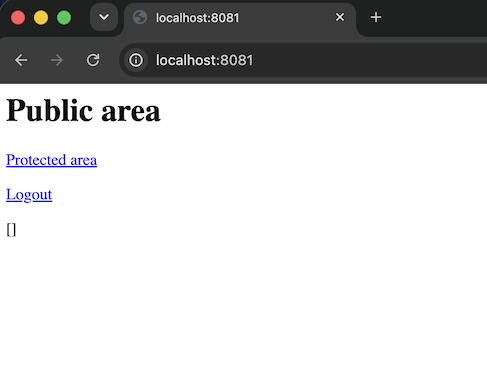
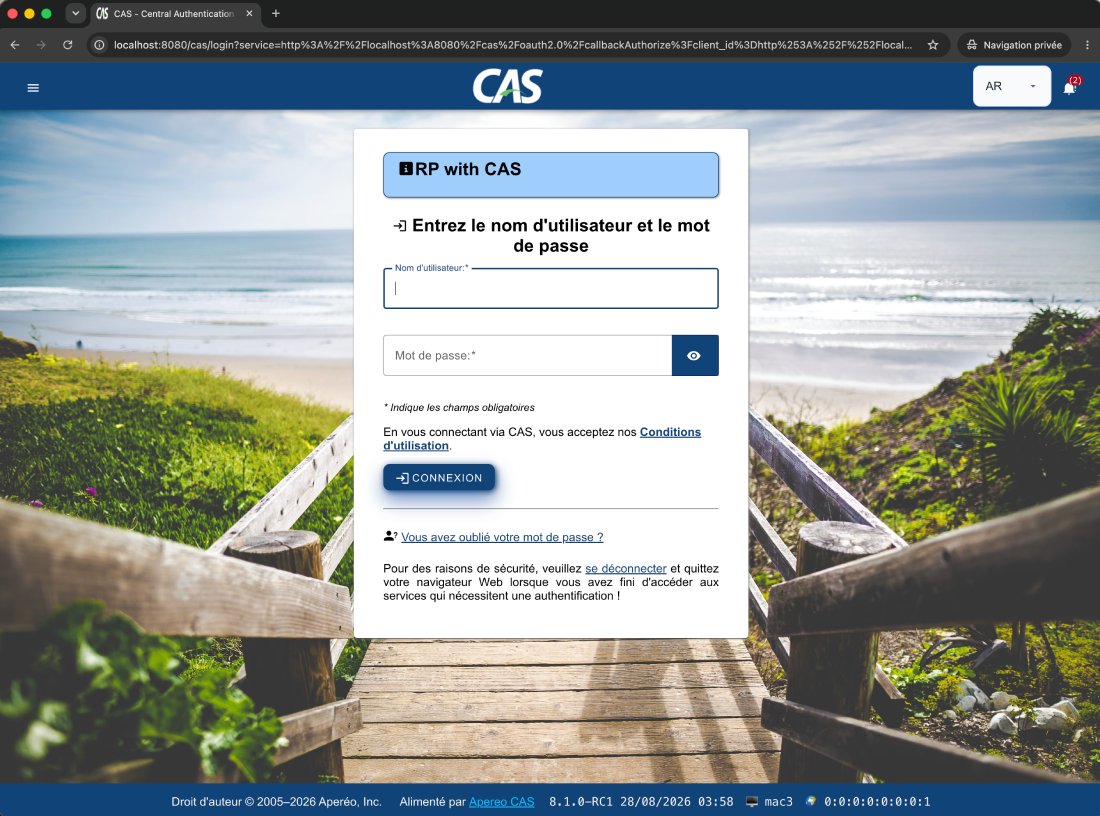
Then, we click on the "Protected area" link.
On the CAS server login page, we use the pre-defined user: `casuser` / `Mellon` to log in:
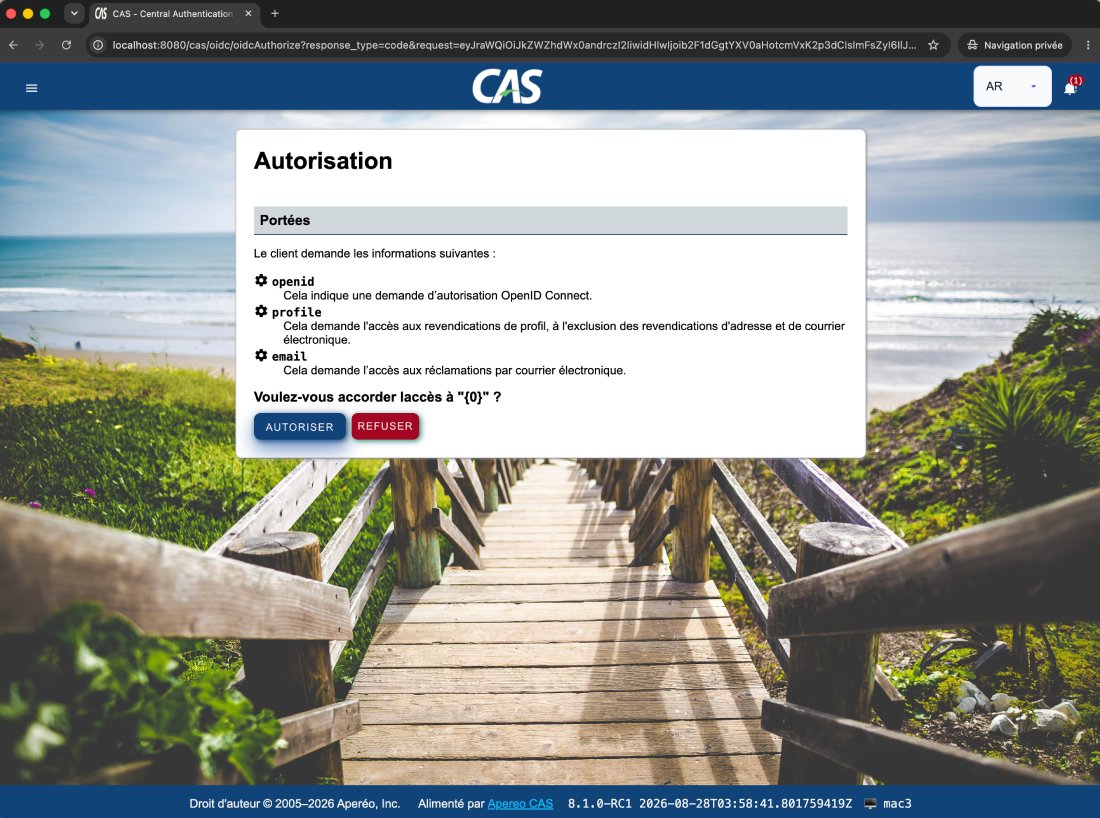
and we validate the authorizations:
And it works:
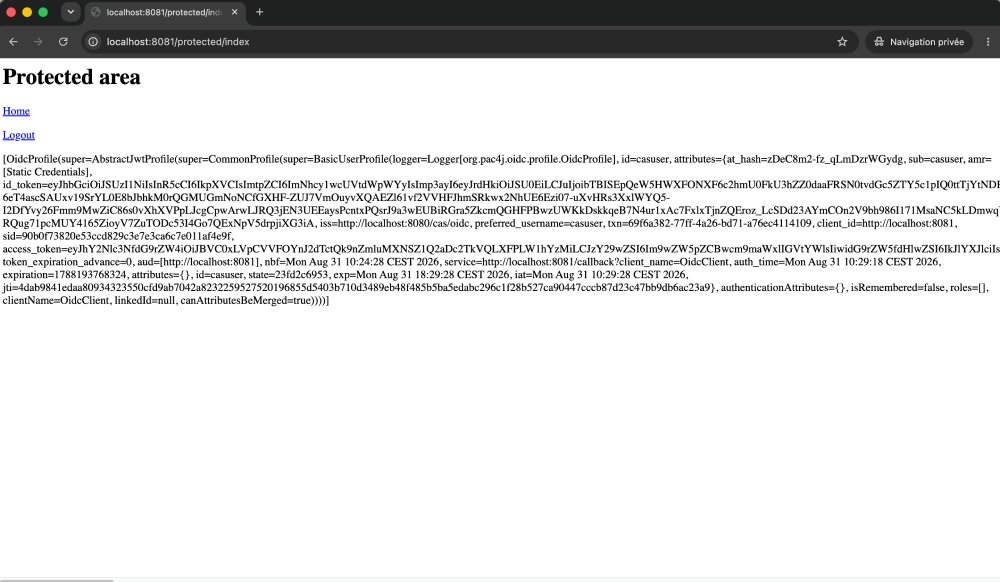
We are finally logged in to the pac4j application thanks to the OpenID Federation protocol and the two CAS server nodes.
**CAS can act as a federated OP and as a trust anchor, with pac4j as the RP.**
*Adapted from [OpenID Federation with pac4j and CAS](https://www.pac4j.org/blog/openid_federation_with_pac4j_and_cas.html), originally published on pac4j.org.*