
What I Learned Building an AI Code Reviewer with Java and Spring Boot

AI-assisted coding has changed how quickly developers can write software.
But that creates another question:
How do you review all that generated code effectively?
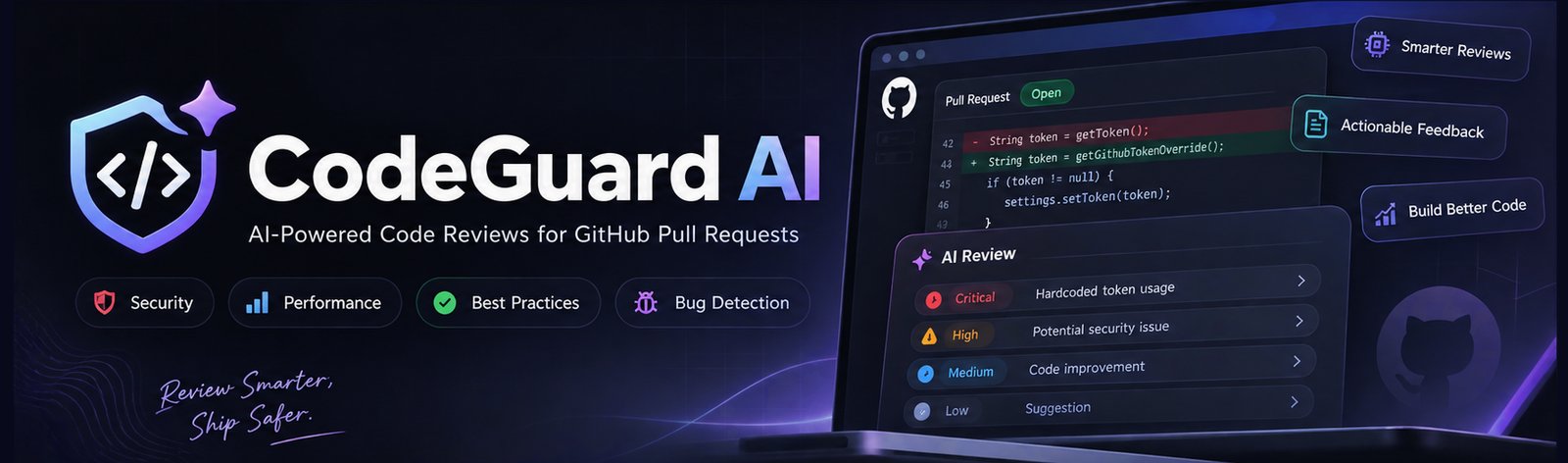
That question led me to build CodeGuard AI, a self-hosted AI code-review application for GitHub Pull Requests using Java and Spring Boot.
At first, the architecture seemed simple:
GitHub Pull Request
        ↓
      LLM
        ↓
     Review
In practice, that wasn’t enough. The interesting engineering work was everything around the model: collecting useful Pull Request context, defining review instructions, structuring the model response, assessing findings, and integrating the result back into the GitHub workflow. This article explains what I learned while building that workflow.
The real problem isn’t calling an LLM
Calling an AI provider from a Spring Boot application is relatively straightforward.
The harder question is:
What exactly should the model receive, and what should the application do with the response?
A Pull Request contains much more useful information than a single block of changed code.
A review workflow can involve:
- Pull Request metadata
- Changed files
- Code diffs
- Review instructions
- Repository information
- Analysis rules
- The selected AI provider
- The model’s response
The workflow therefore becomes:
GitHub PR
   ↓
Fetch PR context
   ↓
Build review context
   ↓
Apply review instructions
   ↓
AI provider
   ↓
Parse response
   ↓
Structured findings
   ↓
Risk / severity / confidence
   ↓
GitHub review
The model is only one part of the system.
Building the GitHub integration
The first major component is the GitHub integration. The application needs to retrieve the Pull Request information and the changes that need to be reviewed.
Conceptually, the workflow looks like:
Repository
    ↓
Pull Request
    ↓
Changed files
    ↓
Diffs
    ↓
Review context
The important design decision here is that the reviewer should not blindly send an entire repository to the model. Instead, the application can start with the changes that are actually part of the Pull Request and construct the context around those changes. That makes the review more focused and avoids treating the entire codebase as equally relevant to every review.
Turning a diff into review context
A raw diff isn’t necessarily enough for useful AI feedback. The application also needs instructions that tell the model what kind of review it is expected to perform.
For example, the review instructions can ask the model to look for:
- Bugs and logic problems
- Security issues
- Performance problems
- Best-practice violations
The important distinction is between sending code to an LLM and building a review context for an LLM. The second approach gives the application more control over how the review is performed.
Supporting multiple AI providers
One of the design goals of CodeGuard AI was avoiding a workflow that depended on a single AI provider.
The application supports:
- OpenAI
- Google Gemini
- Ollama
That creates an abstraction between the review workflow and the provider.
Conceptually:
                 ┌── OpenAI
                 │
Review workflow ─┼── Gemini
                 │
                 └── Ollama
The application can therefore keep the GitHub and review workflow relatively independent from the model provider. This also makes experimentation easier. Different providers can produce different results, and a self-hosted option such as Ollama can be useful when running the model locally is important.
Raw AI output isn’t enough
This was one of the biggest lessons from the project. An AI model can return a long textual response explaining several possible problems. But a developer reviewing a Pull Request doesn’t necessarily want another large block of text.
They need to know:
- What is the finding?
- Where is it?
- How serious is it?
- How confident is the analysis?
- What could be done about it?
So the review workflow converts the model response into structured findings.
A simplified finding can be thought of as:
Finding
├── Type
├── Severity
├── Confidence
├── Location
├── Explanation
└── Suggested fix
This changes the role of the AI response.
Instead of being the final product, it becomes input to a developer-oriented review workflow.
Why severity and risk matter
An AI model might identify ten possible issues. That doesn’t mean all ten deserve the same attention. A useful review system therefore needs some way of distinguishing findings.
For example:
- CRITICAL
- HIGH
- MEDIUM
- LOW
Other information can also help:
- Severity
- Risk
- Confidence
- Finding type
- Code location
The goal isn’t to let the AI make the final decision. The goal is to make the developer’s review more focused.
The workflow becomes:
10 AI findings
      ↓
Structured findings
      ↓
Risk / severity / confidence
      ↓
Prioritized review
      ↓
Human decision
That distinction is important.
AI first pass does not mean AI final decision.
Sending the results back to GitHub
The review becomes much more useful when it fits into the developer’s existing workflow. Instead of requiring developers to open a separate application and manually copy the findings into GitHub, CodeGuard AI can post review results back to the Pull Request.
The resulting workflow looks like:
Developer opens PR
        ↓
CodeGuard analyzes changes
        ↓
AI generates findings
        ↓
Findings are structured
        ↓
Review is posted to GitHub
        ↓
Developer evaluates the findings
This makes GitHub the place where the review can be consumed. The separate dashboard can then provide additional information such as review history and trends.
The Spring Boot side
Spring Boot provides the application layer that connects these pieces.
At a high level, the application contains responsibilities for:
GitHub integration
       ↓
Review orchestration
       ↓
AI provider integration
       ↓
Finding processing
       ↓
Persistence
       ↓
Dashboard / APIs
Spring Security handles authentication and authorization concerns, while Spring Data/JPA provides the persistence layer. Maven manages the Java project dependencies and build lifecycle.
The result is not just an AI API call. It is a complete application workflow around that API call.
Where the application becomes interesting
The most interesting part of the project wasn’t choosing which LLM to call. It was deciding what happens before and after the model call.
Before the model:
GitHub
  ↓
PR changes
  ↓
Review context
  ↓
Instructions
After the model:
AI response
  ↓
Structured findings
  ↓
Severity / risk / confidence
  ↓
GitHub review
  ↓
Developer decision
That surrounding workflow is where most of the application engineering lives.
What AI code review still can’t solve
Building the reviewer also made the limitations clearer. An AI reviewer can identify many useful issues, but it doesn’t automatically understand every business rule behind a system. For example, a Pull Request might be technically valid while violating an organization-specific business requirement that isn’t represented in the available context. That means AI review should be treated as a first-pass analysis, not an unquestionable authority.
Human review still matters, especially for:
- Business-critical logic
- Security-sensitive changes
- Financial workflows
- Architectural decisions
- Organization-specific rules
The quality of an AI review therefore depends not only on the model, but also on the context and instructions provided to it.
Self-hosting changes the design
Another important design consideration was deployment. CodeGuard AI is designed as a self-hosted application rather than a hosted code-review SaaS. That means developers can run the application on their own infrastructure and customize the source code.
The architecture can therefore look like:
GitHub
   ↓
Self-hosted CodeGuard
   ↓
AI provider
   ↓
Review results
   ↓
GitHub
With Ollama, the model can also be run locally:
GitHub
   ↓
CodeGuard
   ↓
Ollama
   ↓
Local model
   ↓
Review findings
This doesn’t automatically solve every security or privacy concern, but it gives developers more control over where the application and AI workflow run.
What I would change if I built it again
The project also changed how I think about AI developer tools. If I were starting again, I would spend even more time on the boundary between AI output and application logic. The model will change. The provider will change. The prompts will change. But the application still needs a stable workflow for turning uncertain model output into something a developer can inspect and act on. That suggests an architecture where the AI provider is replaceable, while the review workflow remains relatively stable.
The main lesson
The biggest lesson from building CodeGuard AI was simple:
AI code review isn’t just PR → LLM → review.
The useful system is closer to:
Pull Request
     ↓
Context
     ↓
Review instructions
     ↓
AI provider
     ↓
Structured findings
     ↓
Risk / severity / confidence
     ↓
GitHub workflow
     ↓
Human decision
The LLM is important, but the engineering around it is what turns an AI response into a developer tool. That’s what I found most interesting about building an AI code reviewer with Java and Spring Boot.
About CodeGuard AI
CodeGuard AI is a self-hosted AI code-review application built with Java 17+ and Spring Boot. It supports OpenAI, Gemini, and Ollama and can analyze GitHub Pull Requests for bugs, security issues, performance problems, and best-practice violations. The complete source code is available for developers who want to run, customize, and extend the application. See CodeGuard AI on Gumroad.
Found a mistake, or something to add? Edit this page on GitHub

Sweety717
Java Backend Developer | Java 17 | Spring Boot | AI Developer Tools | Building CodeGuard AI & ResumeIQ AI