


Machine Learning Based SPAM Detection Using ONNX in Java
- February 10, 2026
- 5 min read
Believe it or not, it is possible to do Machine Learning in Java. In this article I go over how to implement a Spring Boot API for Spam Detection using an advanced anti-spam model from the Hugging Face onnx-community and Microsoft’s ONNX Runtime for Java.
We will package the API up as a Docker image which we can run a container from using docker or podman, and I guess in theory you could deploy on your Kubernetes cluster, if you (are) fancy.
The code for this project is on a GitHub repo: https://github.com/zikani03/spam-detection-with-onnx
Which model to use?
SPAM detection is a very important part of modern digital communications especially if your running platforms that accept User Generated Content (UGC). Implementing SPAM detection is one of the classic machine learning problems, and there are many approaches to doing so.
Fortunately, it is possible to find an open SPAM detection model now on Hugging Face and use it without much ado, even for commercial use. As I was looking around on Huggingface I came across OTIS, from the description of the project it says
Otis is an advanced anti-spam artificial intelligence model designed to mitigate and combat the proliferation of unwanted and malicious content within digital communication channels.
Sounds interesting enough, so I looked to see if there was an ONNX version of this model and was glad to find that the onnx-community organization has exactly that, here.
So the next step was to download the model.onnx and tokenizer.json files and include them in the project. Otis is licensed under BSD 3-Clause license for the curious.
The Controller
The controller isn’t much but here it is for reference, as you can see we have defined our API endpoint at the path: /api/spam/check which is intended to be called via a POST request. We rely on Spring’s internal content negotiation for the request and responses meaning we can expect to be able to send and receive JSON.
@RequestMapping("/api/spam/check")
@RestController
public class SpamCheckerController {
    private final SpamDetectionService spamDetectionService;

    public SpamCheckerController(@Autowired  SpamDetectionService spamDetectionService) {
        this.spamDetectionService = spamDetectionService;
    }

    @PostMapping
    public ResponseEntity<SpamCheckResponse> checkSpam(@RequestBody SpamCheckRequest request) throws Exception {
        return ok(spamDetectionService.detectSpam(request));
    }
}
The Spam Detection Service
The end goal is to have an API that can be called from HTTP client. But In order to separate concerns, we place the inference code for the Spam detection in a class named SpamDetectionService with an appropriate @Service annotation.
Inside this class we leverage the ONNX runtime for Java, passing the paths to the model and tokenizer files to initiate a HuggingFaceTokenizer . Here is the full code of the service:
@Service
public class SpamDetectionService implements AutoCloseable {

    private final HuggingFaceTokenizer tokenizer;
    private final OrtEnvironment env;
    private final OrtSession session;

    public SpamDetectionService(
            @Value("${model.path:-/models/model.onnx}") String modelPath,
            @Value("${tokenizer.path:-/models/tokenizer.json}") String tokenizerPath) throws IOException, OrtException {

        this.env = OrtEnvironment.getEnvironment();
        // Load session options -- no particular settings for GPU or CUDA environments
        OrtSession.SessionOptions options = new OrtSession.SessionOptions();
        options.setInterOpNumThreads(2);

        this.session = env.createSession(modelPath, options);
        this.tokenizer = HuggingFaceTokenizer.builder()
                .optPadding(true) // Add 0s if text is too short
                .optTruncation(true) // Cut off if text is too long
                .optTokenizerPath(Paths.get(tokenizerPath))
                .build();
    }

    public SpamCheckResponse detectSpam(SpamCheckRequest request) throws OrtException {
        long startTime = System.currentTimeMillis();
        var response = this.detectSpam(request.content());
        long endTime = System.currentTimeMillis();
        return new SpamCheckResponse(
                response.label,
                response.confidence,
                request.requestId(),
                endTime - startTime
        );
    }

    private RawResult detectSpam(String text) throws OrtException {
        Encoding encoding = tokenizer.encode(text);
        long[] inputIds = encoding.getIds();
        long[] attentionMask = encoding.getAttentionMask();
        long[] shape = {1, inputIds.length};

        try (OnnxTensor inputTensor = OnnxTensor.createTensor(env, LongBuffer.wrap(inputIds), shape);
             OnnxTensor maskTensor = OnnxTensor.createTensor(env, LongBuffer.wrap(attentionMask), shape)) {

            Map<String, OnnxTensor> inputs = new HashMap<>();
            inputs.put("input_ids", inputTensor);
            inputs.put("attention_mask", maskTensor);
            String tokenTypeIdsName = "token_type_ids";
            String outputName = session.getOutputNames().iterator().next();

            if (session.getInputNames().contains(tokenTypeIdsName)) {
                long[] tokenTypeIds = new long[inputIds.length];
                inputs.put(tokenTypeIdsName, OnnxTensor.createTensor(env, LongBuffer.wrap(tokenTypeIds), shape));
            }

            try (OrtSession.Result results = session.run(inputs)) {
                return formatResults(results, outputName);
            } finally {
                inputs.values().forEach(OnnxTensor::close);
            }
        }
    }

    record RawResult(String label, float[] probs, float cleanProb, float scamProb, float confidence) {}

    private RawResult formatResults(OrtSession.Result results, String outputName) throws OrtException {
            float[][] logitsArray = (float[][]) results.get(outputName).get().getValue();
            float[] rawLogits = logitsArray[0];
            float[] probs = softmax(rawLogits);

            float cleanProb = probs[0] * 100;
            float scamProb = probs[1] * 100;

            int prediction = (probs[1] > probs[0]) ? 1 : 0;

            String label = (prediction == 1) ? "SCAM" : "CLEAN";

            float confidence = (prediction == 1) ? scamProb : cleanProb;

            //return ("Result: " + label + " (" + String.format("%.2f", confidence) + "% confidence)");
            return new RawResult(label, probs, cleanProb, scamProb, confidence);
    }

    public static float[] softmax(float[] logits) {
        float[] probabilities = new float[logits.length];
        float maxLogit = Float.NEGATIVE_INFINITY;
        for (float v : logits) {
            if (v > maxLogit) maxLogit = v;
        }
        float sum = 0.0f;
        for (int i = 0; i < logits.length; i++) {
            probabilities[i] = (float) Math.exp(logits[i] - maxLogit);
            sum += probabilities[i];
        }
        for (int i = 0; i < logits.length; i++) {
            probabilities[i] /= sum;
        }

        return probabilities;
    }

    @Override
    public void close() throws Exception {
        session.close();
        env.close();
        tokenizer.close();
    }
}
You may note that the paths have default values which point to a directory starting with /models that’s because we intend to run this by default from a Docker container.
However, you can customize the paths to these models using the following configuration in a Spring Boot configuration file, e.g. in application.yaml:
# application.yaml
model:
  path: "/path/to/models/model.onnx"
tokenizer:
  path: "/path/to/models/tokenizer.json"
Running the service via Docker
The project in the repository uses Jib to build docker image from the Java source code. Run the following command to build the container, by default the created image will be named zikani03/spam-detection-with-onnx
$ ./mvnw clean jib:dockerBuild
Once the build completes successfully you can run a docker container using the following, binding on port 8080 which the API runs at inside the container.
$ docker run -p "8080:8080" zikani03/spam-detection-with-onnxOnce that’s running, you can then test the SPAM Detection service using your favourite HTTP Client e.g. Postman, Insomnia or even just cURL:
$ curl -X POST -H "Content-Type: application/json" -d '{"requestId":"test","content":"Cһeck out our amazinɡ bооѕting serviсe ѡhere you can get to Leveӏ 3 for 3 montһs for just 20 USD.","token":"abc"}' "http://localhost:8080/api/spam/check"
You should get a result similar to this:
{"result":"SCAM","confidence":99.99815368652344,"id":"test","checkDurationMillis":149}
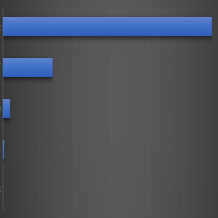
I like to load test things with hey, not bad.
![[]](https://cdn.hashnode.com/res/hashnode/image/upload/v1770586347231/b7530ac8-b6e3-4aab-9eae-4f25365ea85b.png)
The performance is okay, considering this is all running on CPU and not GPU (which I’m sure you can use with the onnxruntime libraries).
Conclusion
I have been curious about performing Machine Learning with Java for a while and ran into ONNX as I was trying out some Python stuff and got curious if I could leverage ONNX models in Java, and ofcourse you can! Microsoft’s onnxruntime for Java is a great place to start.
Sure, there is a lot more to add to this project to make it a real production-grade service, but I hope I have illustrated how it is possible to do some inference with Java and ONNX models. There are many models out there which you can leverage for different use cases.
I hope you are as excited about doing ML in Java too.
- February 10, 2026
- 5 min read

Software Engineer











Comments (0)
No comments yet. Be the first.