


The Files in JDK 21
- October 17, 2023
- 3 min read
As Java developers, we all have it installed on our computer: the Java Development Kit, also known as the JDK. I remember putting the first version on a few floppy disks back in 1995. Since then it has grown multiple times. In this article, we'll explore the files of the JDK.
For this article, Eclipse Temurin JDK 21 for Windows has been used.
Files
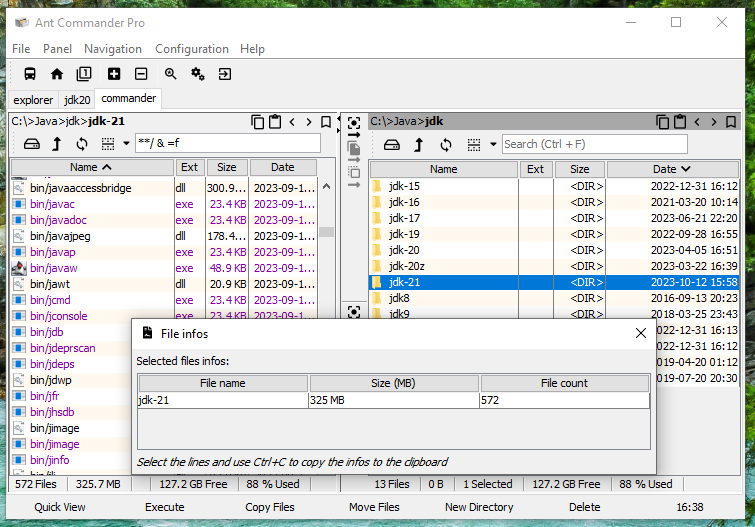
The statistics
- Total size: 325 MB
- Number of files: 572
- Number of files including in zip files: 47,629
- Largest file: lib/modules with 134 MB
- Number of class files: 27,929 (was 27,064 in JDK 20)
- Number of Java files (in src.zip): 15,404 (was 15,044 in JDK 20)
Modules
The first observation is that class files are included twice in the JDK, first in the jmods/*.jmod files and in lib/modules file. The JDK includes a bin/jimage utility to unpack of list the files in it. There doesn't seem to be that much documentation about this tool online.
The class files in lib/modules are less compressed than in the jmod files that are using zip compression.
Tip:
If you distribute the JDK with your software, for example in a Docker image, create a light version of the JDK with bin/jlink first. The result will be a smaller directory as it won't include files like src.zip (50 MB), jmods/*.jmod (79 MB), tools and the modules you don't use.
Classes
The statistics:
- Total size: 126 MB
- Number of class files: 27,871
- 4,495 are public classes or interfaces
- 12,500 are inner or anonymous classes
- Largest file: GB18030.class with 291 KB
- Largest files names: InternalFrameTitlePaneMaximizeButtonWindowNotFocusedState.class and MetaData$java_beans_beancontext_BeanContextSupport_PersistenceDelegate.class
- 7,275 are less than 1 KB
- 26 are more than 100 KB
- All files are using the same timestamp of 2023-09-19 00:00
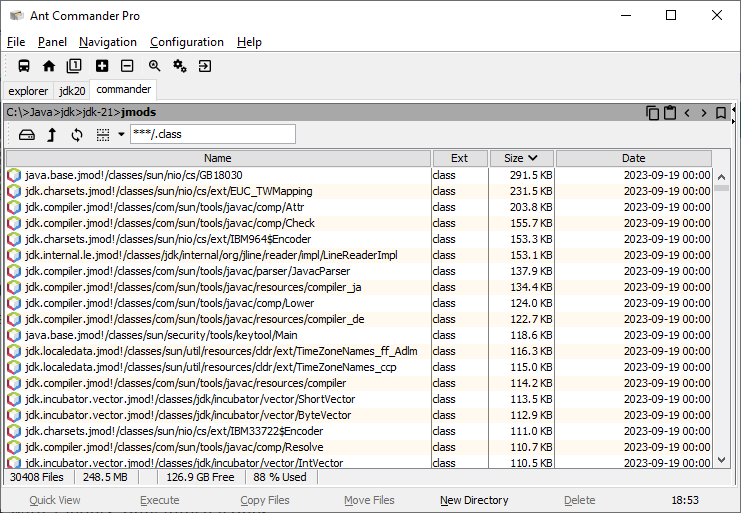
Most of the largest class files are related to the internationalization with charsets and time zones but javac and the new vector API also have large class files.
Evolution
Contrary to what I said in the introduction, even if the JDK has grown size since 1.0, this hasn't been the case in the recent years. Post JDK 8, the largest JDK was JDK 9 (JavaFX, Nashorn) with 500 MB and the smallest was JDK 17 with 297 MB.
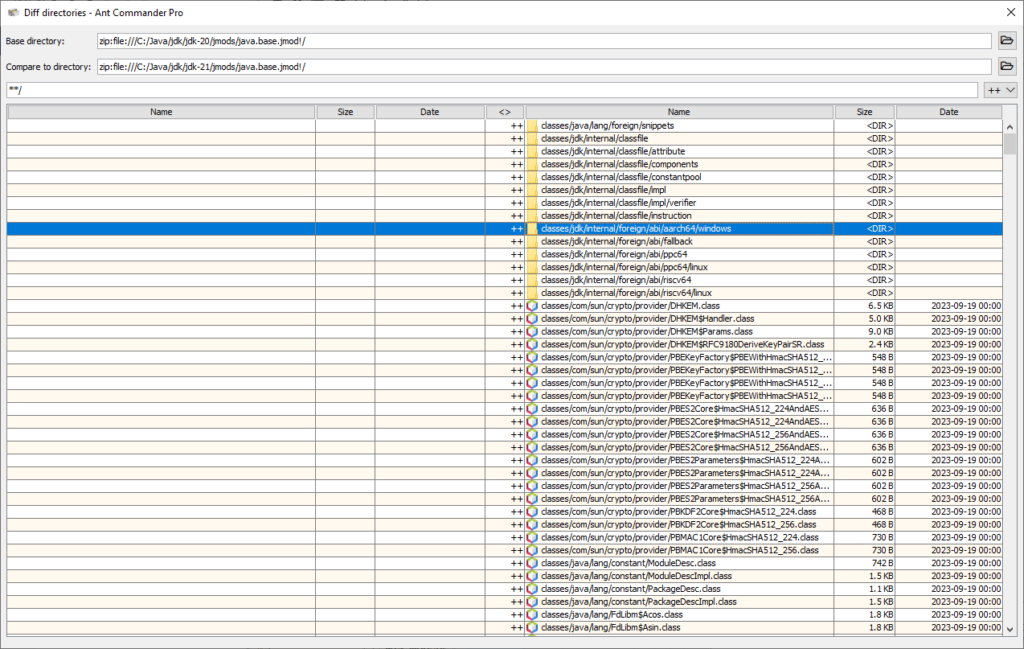
When comparing new files in the java.base module with JDK 20, you see that a lot of new files are related to a new jdk.internal.classfile package.
Conclusion
OpenJDK is an always evolving software mostly composed of a lot of small files. Most of them are not needed at runtime.
Many OpenJDK distributors propose also a JRE (Java Runtime Environment) version of Java. For example, for Eclipse Temurin the Windows JDK installer file is 178 MB and the Windows JRE installer file is 34 MB.
- October 17, 2023
- 3 min read

Java developer since 1995, I've seen, in so many years, many technologies: from J2ME to the cloud, from sockets to GraphQL. Working now as freelance for clients or for my passion which is to write Java Swing applications (japplis.com).














Comments (0)
No comments yet. Be the first.