


Foojay Podcast #25: Game Development with Java, JavaFX, and FXGL
- June 19, 2023
- < 1 min read
Java and JavaFX are probably not the first options you consider if you want to create a game application.
But the FXGL library allows you to do precisely that! Create games that run on all platforms with the same codebase as we are used to with Java.
And even without an extra library, the JavaFX Components and Canvas provide many animation and gaming possibilities.
Let's learn from experts why Java should be on your game-development-language-list!
Podcast Apps
You can listen and subscribe to the Foojay Podcast on:
- Spotify
- Apple Podcasts
- And most others...
Guests
- Chengen Zhao
- Almas Baim
- Gerrit Grunwald
Content
- 00’00 Intro and introduction of the guests
- 04’00 About FXGL
- 08’48 How Chengen used FXGL to improve his Xtrike game
- 10’15 Combining 2D and 3D
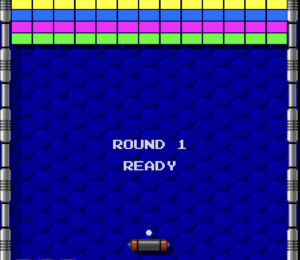
- 11’20 The fascination of Gerrit for retro games
- 13’36 JavaFX components versus Canvas
- 19’09 Creating games while waiting in airports…
- 22’19 Convert to mobile and Steam apps
- 23’22 Question of Chengen if FXGL can extend view components
- 24’58 How students are involved in the FXGL project
- 29’53 Why FXGL has a mix of Java and Kotlin
- 32’22 Building for mobile and the hassle with the app stores…
- 38’58 3D in JavaFX
- 44’14 Status of Swing
- 47’13 About the Java community in China
- 49’23 Could a drag-and-drop animation tool be created for FXGL?
- 51’13 Use JavaFX FXML markup files? And can SceneBuilder provide a code-only approach?
- 55’34 Conclusion
- June 19, 2023
- < 1 min read

Principal Lecturer, Computing Department Lead at the University of Brighton. Author of #FXGL game engine. #Java #JavaFX #Kotlin open sourcerer. PhD in Computer Science.

Chengen is the founder and currently the tech lead of Company White Wood City which is a software company mainly focus on Java, Flutter & Swift related technologies.

Frank Delporte is a Java Champion, Java Developer, Senior Technical Writer at Azul, Blogger, Author of "Java Programming for Raspberry Pi - A Hands-On Guide to Electronics and IoT Projects", and Open-Source Contributor for Pi4j, Lottie4j, MelodyMatrix,... Frank writes and talks about Java in business production environments, but also in places people don’t always expect it, on the Raspberry Pi, driving GPIO pins, rendering JavaFX UIs, and running on RISC-V single-board computers.

JUG Leader, Java Champion, Speaker, Author, ❤️ Java(FX) and coding in general











Comments (0)
No comments yet. Be the first.