
Systematic AI Coding: My Takeaways from the Eclipse Foundation Workshop in Brussels

Most developers using AI tools are still guessing. The Eclipse Foundation’s first AI Coding Workshop in Brussels was built to change that. It’s a brand new format they launched in Brussels, which makes sense: most of the Eclipse event team is based there. They plan to bring it to more cities from here, so keep an eye out if you want to attend such a workshop in the future. They offered 10 free tickets to share with the BeJUG and Foojay community. And in all honesty, I used one for myself. Jonas Helming from EclipseSource led the workshop, with a fun quiz hosted by Thomas Froment in the afternoon. Here’s what I took away.


From Vibe to Systematic
The workshop kicked off with an important framing question: where are we in the AI coding journey? Jonas positioned AI assistance on a scale from 1 (basic code suggestions) to 5 (fully autonomous). We are now at level 4 with tools like Claude Code. Level 5 is approaching when fully cloud-based autonomous agents will be available.
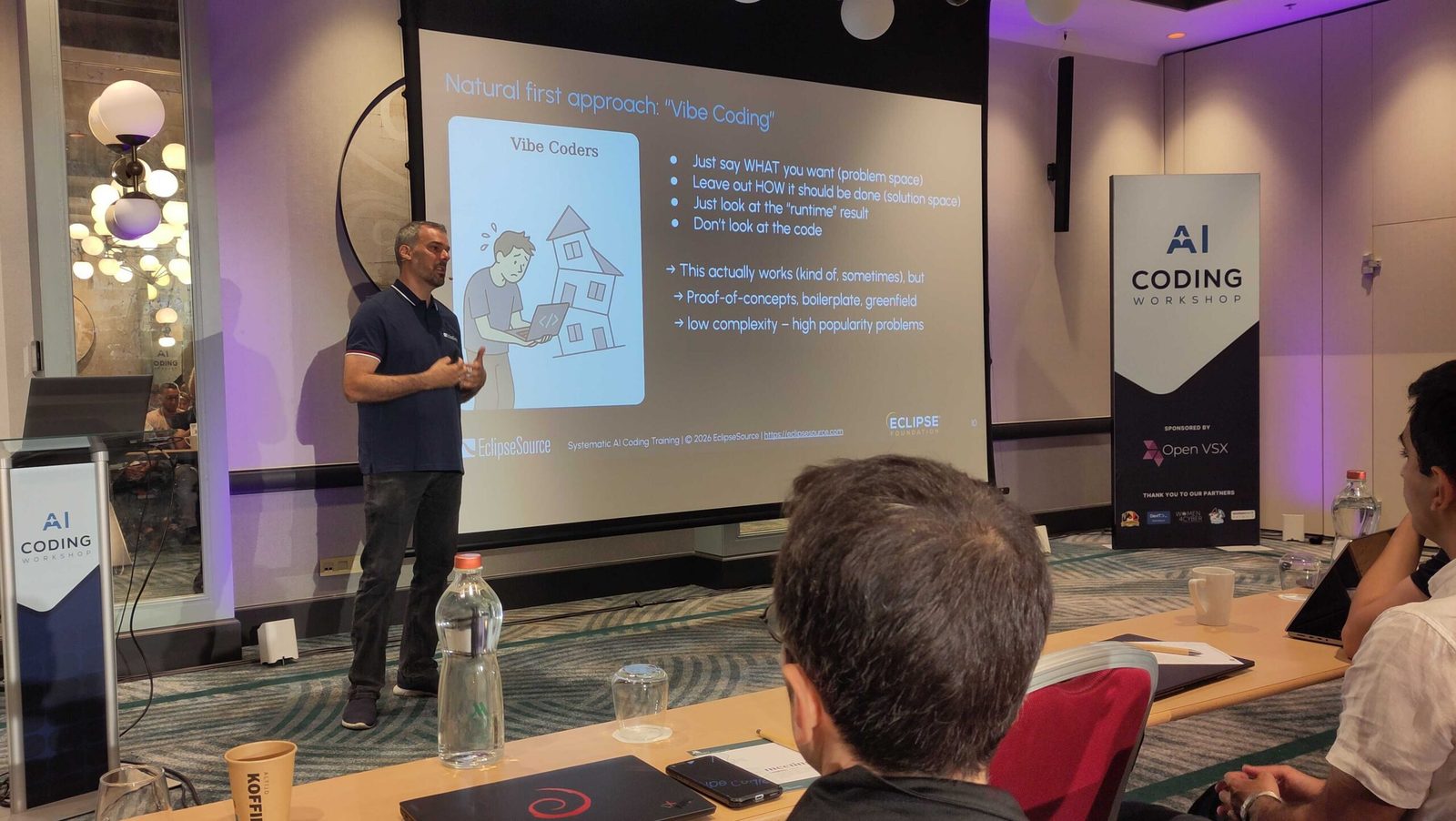
Most developers today are still somewhere in the “vibe coding” zone. Vibe coding is the what, not how approach: you describe what you want, don’t look at the generated code too closely (or not all), and focus on the result. It can work well for POCs and low-complexity problems on well-understood domains. But it quickly crumbles once you move into real projects with real complexity.
The fundamental shift the workshop is about, is moving beyond the experimentation phase toward something repeatable and systematic. That’s what Jonas calls Systematic AI Coding: understanding how coding agents actually work, and building workflows around them, not just prompting and hoping.
How a Coding Agent Actually Works
One of the most useful sessions was the breakdown of what happens inside a coding agent. It’s easy to think of it as a magic box, but the mechanics matter a lot for using it well.
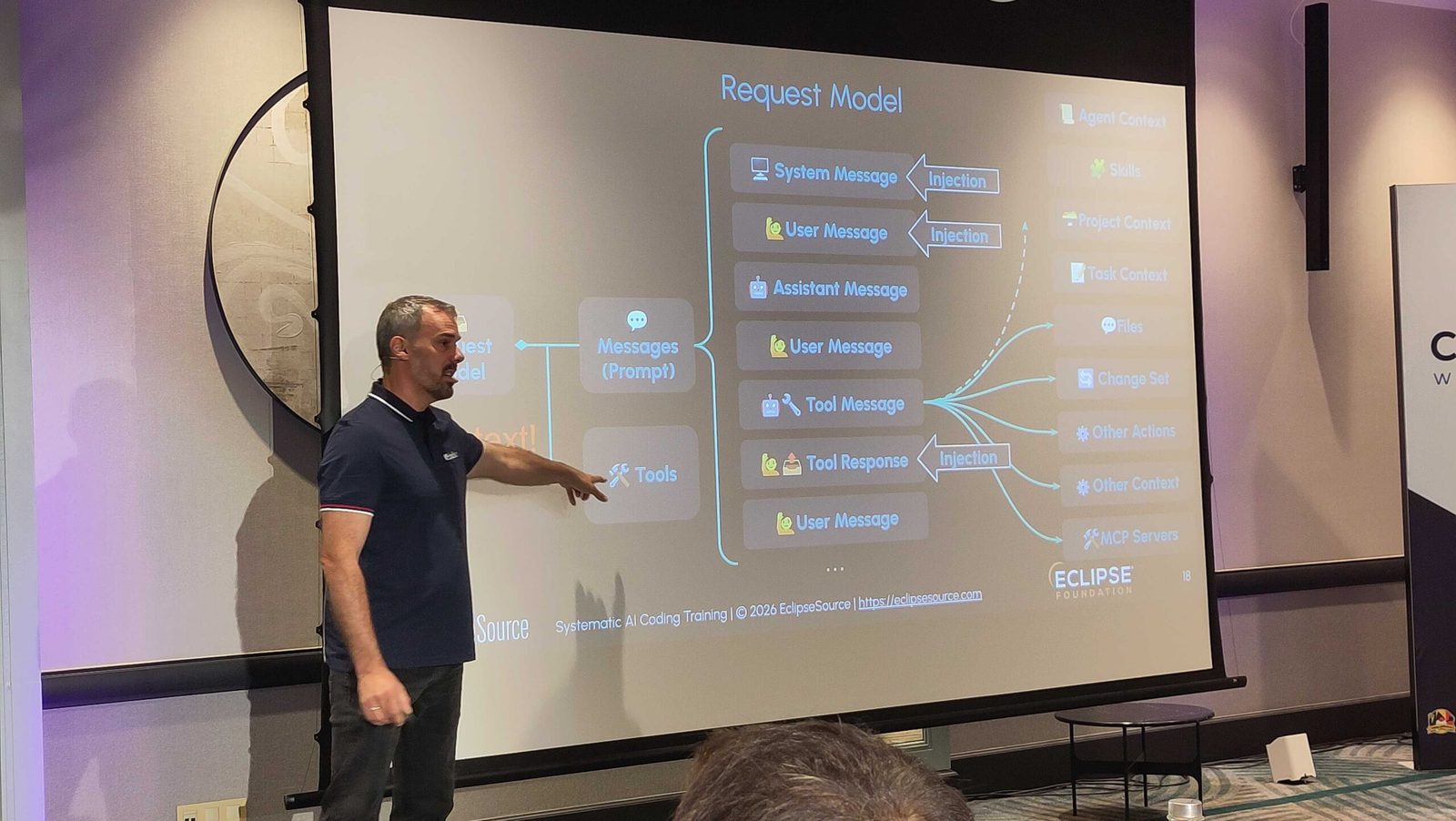
A coding agent takes several inputs: the system message, user messages, assistant responses, your codebase, and any additional context you provide. That context includes things like project context, task context (your plan), and the skills or tools available to the agent. On top of that, you can have optional agent layering, like a model router that picks the right model for the task.
From there, the agent uses tools, calls the LLM, and generates a change set: files, actions, context updates, MCP calls. Everything flows through what Jonas describes as part of the Request Model: tools + messages + tool messages + tool responses. The whole thing boils down to one word: CONTEXT. Context is everything.
A key insight: the LLM is stateless and forgets immediately. Every time it runs, you need to resend the full conversation history for it to understand what happened before. This has a real consequence as the context gets polluted and the cost rises because extra tokens are needed to handle the input. And there’s a subtle trap called the “dumb zone”: efficiency actually drops before you hit the context window limit. According to some experiments, this can already start at roughly ±40% of the context capacity. So a session that feels like it’s still working might already be producing worse results.
The Workflow
Once you understand how agents work, the practical workflow makes a lot more sense. It looks roughly like this: Your AI Agent generates output, and you need to Review or Decide. From there you have several options: escape (abort), refine (adjust the prompt), redo (start a fresh chat), divide the task further, compact the session, adjust the agent configuration, or commit what’s working. Then repeat.
Two important take-aways from Jonas here:
- Don’t be afraid to throw away changes and start over. A fresh session with a cleaner, better-scoped prompt will often outperform trying to rescue a session that’s gone sideways. The bad feeling you may have of “lost coding work” is real, but it’s not your work. A tool did it.
- Compact the session yourself, don’t rely on the agent to do it. If you let the agent compact automatically, you lose control over what context gets dropped. Doing it yourself means you decide what’s kept.
One tip I should follow: when your AI tool is working, don’t start another session in another project. Look out the window and think about the actual problem you’re solving within the project to better handle the result. Context-switching is expensive for humans too.
Time Changes When You Use AI
Without AI, a developer typically spends roughly 70% of time on design and coding combined, and 30% on debugging. With AI, the split looks very different:
- Design: ~30%
- Review: ~30%
- Debugging: ~35%
- Actual AI-generated code: ~5%
The work doesn’t disappear, but it shifts. You spend more time thinking, reviewing, and debugging, and less time typing code. This has implications for how you approach a task.
Design before you ever prompt the agent:
- Think about the task and if it should be split
- Describe your intent with precision
- Provide examples, relevant files, and existing implementations
- Give the agent a way to validate its own output
- Apply the “good friend” metaphor: share the tips and tricks from your own codebase that you’d tell a new colleague
Review isn’t optional:
- First, find blockers
- Decide the follow-up action (refine, redo, split, etc.)
- Only if there are no remaining blockers: do a detailed review to finish the task
Done ≠ Ready
When an agent says it’s done, that’s not a green light to push. AI-generated code can quietly lower the quality, introduce security risks, and produce “work-slop” that frustrates your coworkers. Before pushing, do a review the way a careful coworker would.
What Companies Need to Enable This
Jonas highlighted a few important requirements that a company needs to provide to its developers if it wants to make systematic AI coding actually happen:
- Tools (which cost money)
- Time to learn and experiment
- Space to experiment and share learnings across the team
That third one is often underrated. Individual experimentation is great, but if there’s no mechanism to share what works, the team never levels up together.
On the Eclipse Side
There was also a short quiz by Thomas Froment that covered some Eclipse Foundation projects worth knowing about.
- Open VSX is an open-source, vendor-neutral alternative to the Visual Studio Marketplace: an open registry, an open-source project, and a working group.
- Theia IDE built on the Theia Platform, ## a modern, AI-native IDE for cloud and desktop. It has many handy AI-tools for developers, like showing every step an agent takes, token usage, a
@PR Reviewagent that you can give a PR number to checkout, build, run, and create a review plan, etc.
Final Thoughts
Thanks to the Eclipse Foundation for the free tickets, for the perfect organization, and to everyone from BeJUG and Foojay who joined! This was their first workshop in this format, and I hope they bring it to many more cities soon. Thanks also to the sponsor (Open VSX) for a well-equipped venue and good food throughout the day.
It was a dense, practical day. This summary is only a small part of all the tips, tricks, hints, pitfalls, and all the other knowledge shared by Jonas, in over four hours. He runs a longer version of this workshop at companies and events. If you have the opportunity to meet him or join one of those sessions, you should definitely do!
AI coding isn’t magic and it isn’t a shortcut. It’s a different kind of engineering discipline, with its own workflows, its own failure modes, and its own learning curve. The developers who benefit most are the ones who take it seriously and build repeatable processes on top of AI tooling.
This Post Was Co-Authored With Claude Code
Jonas also highlighted that you can use AI tools for much more than coding alone. So, again in all honesty, Claude Code wrote the initial version of this blog during my train ride from Brussels back to Kortrijk. The tool read my handwritten reMarkable notes, exported as a PDF. But, of course, with a full review, rewrite, and fine-tuning by yours truly :-).
Found a mistake, or something to add? Edit this page on GitHub

Frank Delporte
Frank Delporte is a Java Champion, Java Developer, Senior Technical Writer at Azul, Blogger, Author of "Java Programming for Raspberry Pi - A Hands-On Guide to Electronics and IoT Projects", and Open-Source Contributor for Pi4J, Lottie4J, Sheetmusic4J and …






Discussions on the previous Foojay site
1 comment left on this article in 2026, kept from the previous WordPress version of foojay.io. They are an archive and are closed for replies — use the discussion above to add to the conversation.
To full disclosure, this post has been summarized to me by an AI agent.